B Submitting Quotation on Behalf of Vendor
Step 1 of 2
B
RequestorIT SME
22
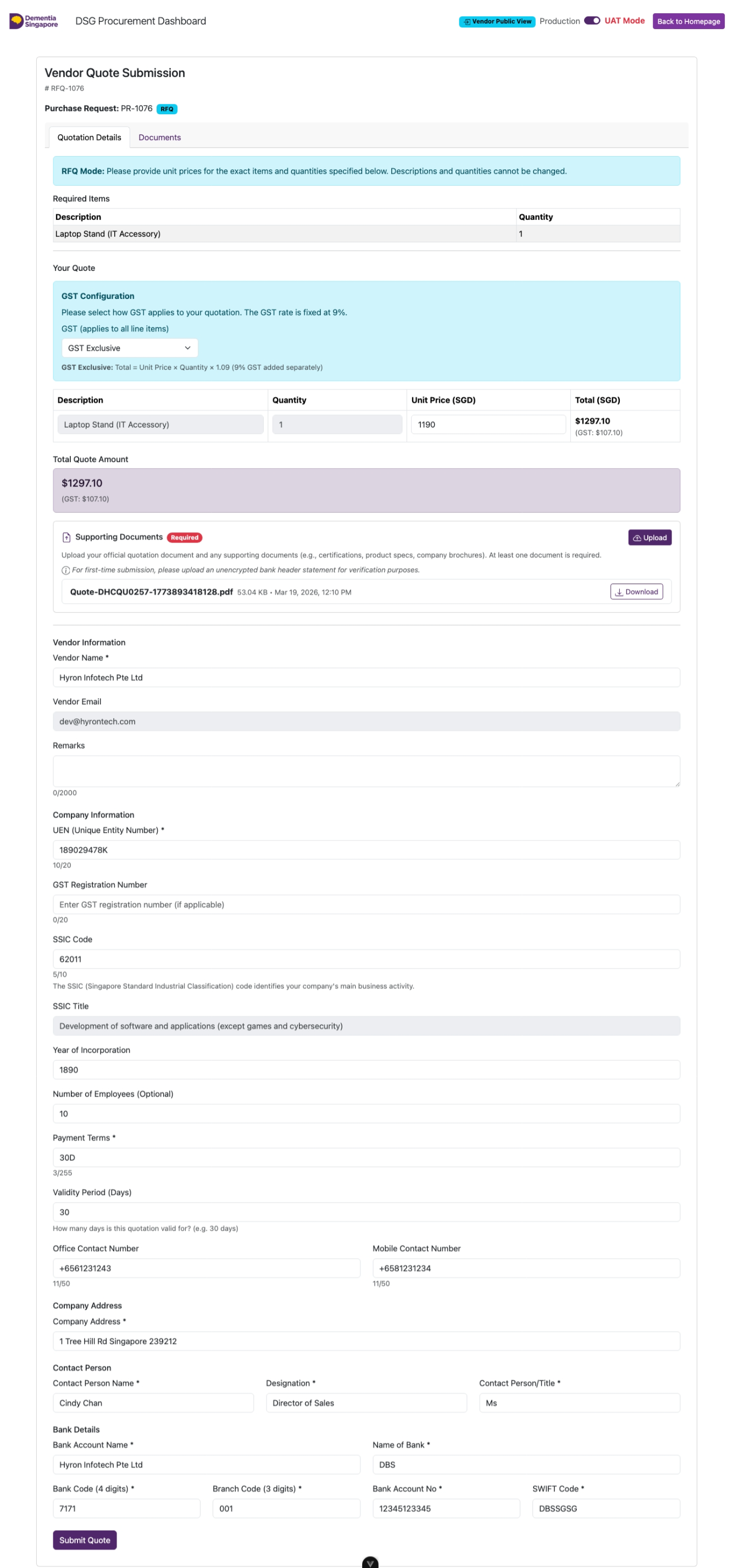
Fill In the Quote Form
- Enter the unit prices per line item according to vendor quotation
- Upload the quotation provided by vendor
- Enter the vendor's UEN (if no UEN, NRIC of the individual)
- Click Confirm UEN to Continue
RequestorIT SME
24
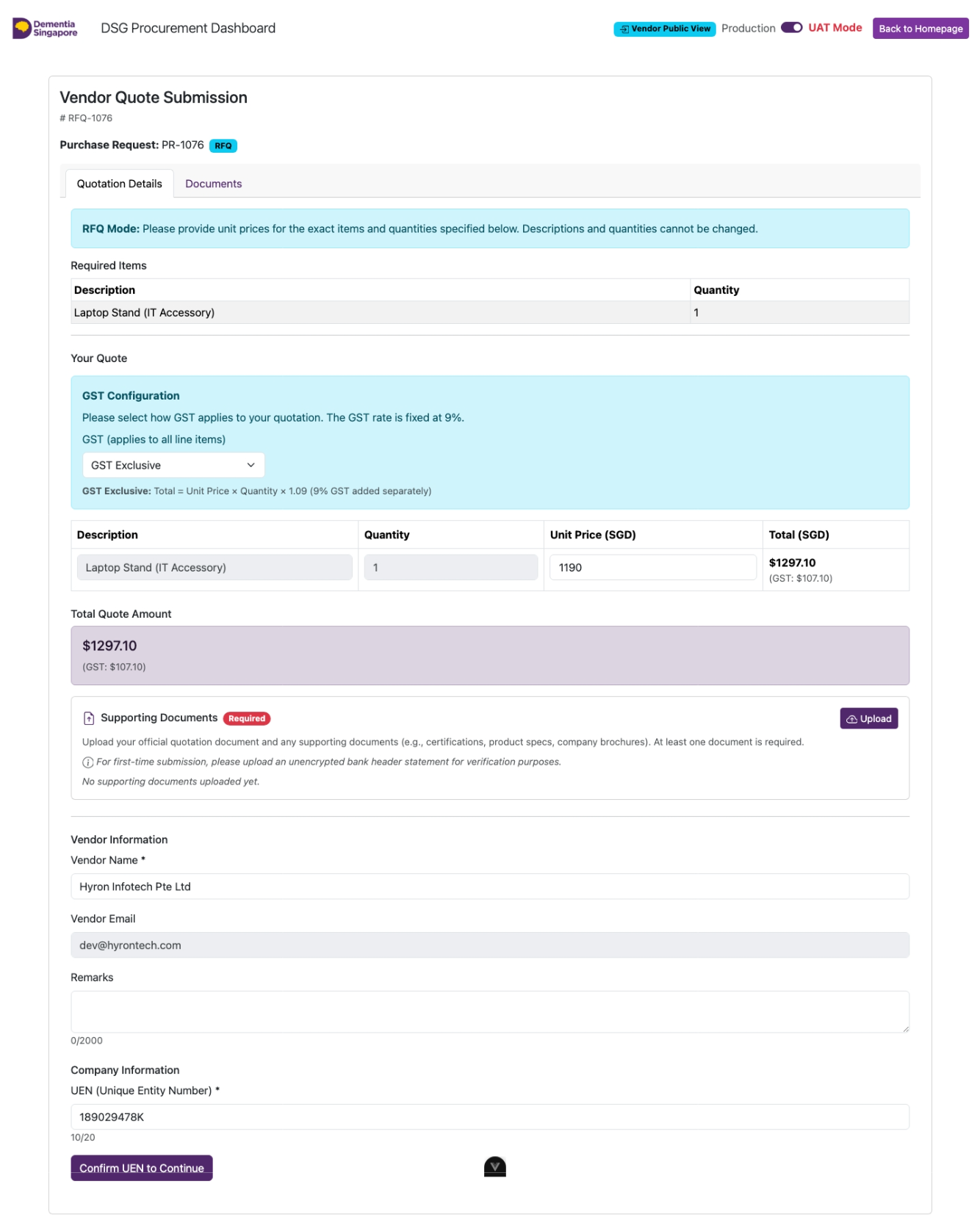
Fill In the Vendor Quote Form
Fill in all required fields indicated by an asterisk (*).
Click on Submit Quote.