DigiHwy Certainty
Agentic Website Guide Agentic Project Management Agentic SEO Email Deliverability Astro + Cloudflare DSG Procurement
Free Tools Projects Contact Free Advisory
C Submitting Quotation for Approval
Step 1 of 11
Exit
C
RequestorIT SME
27

Submit Quotation for Approval

Review the submitted quotes and click on Submit for Approval.
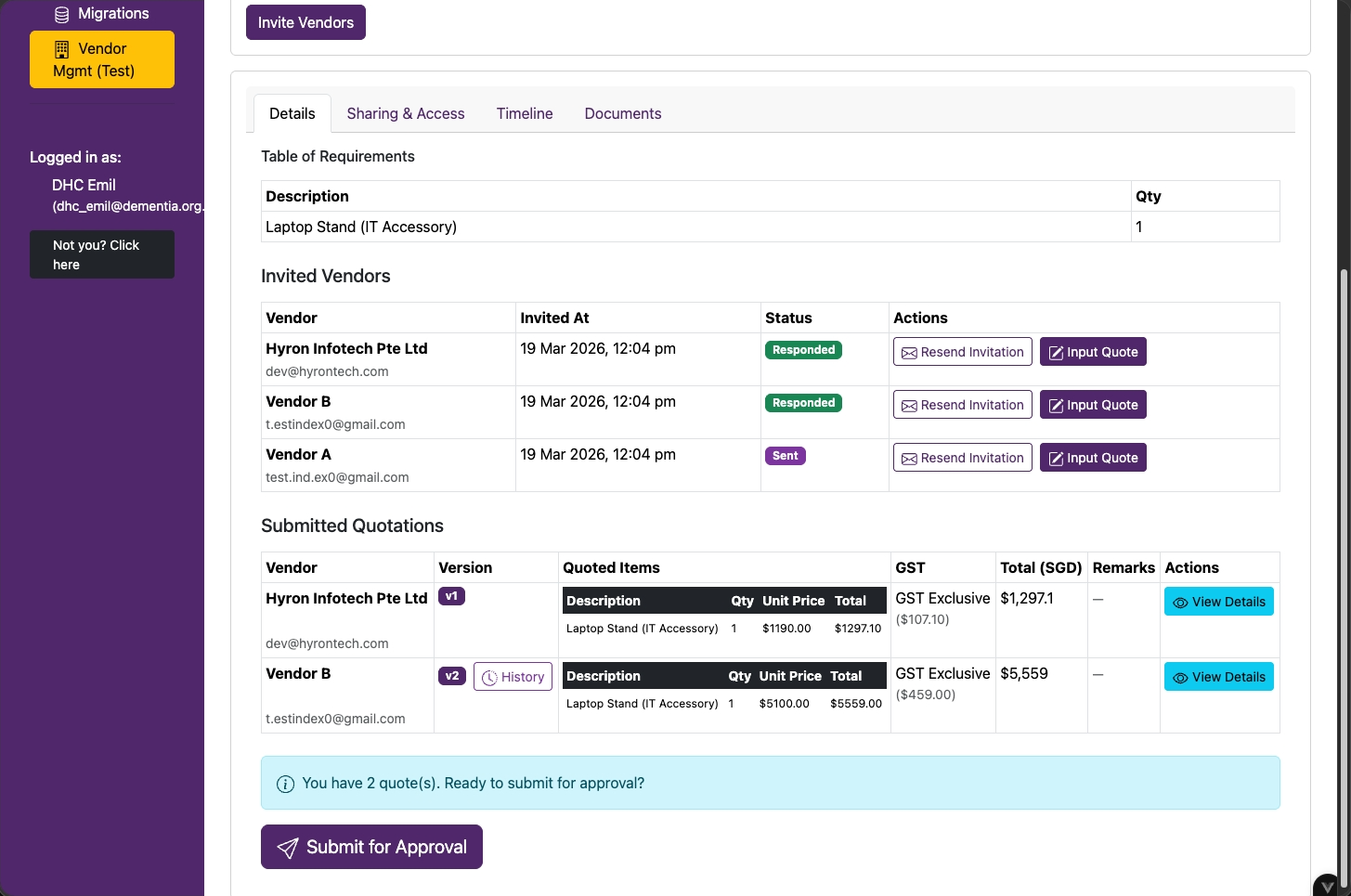
RFQ page with submitted quotations and the Submit for Approval button
RequestorIT SME
30

Recommend Vendor & COI Declaration

  • Select a vendor to recommend
  • Declare any Conflict of Interest (COI) with the vendors by clicking on checkboxes
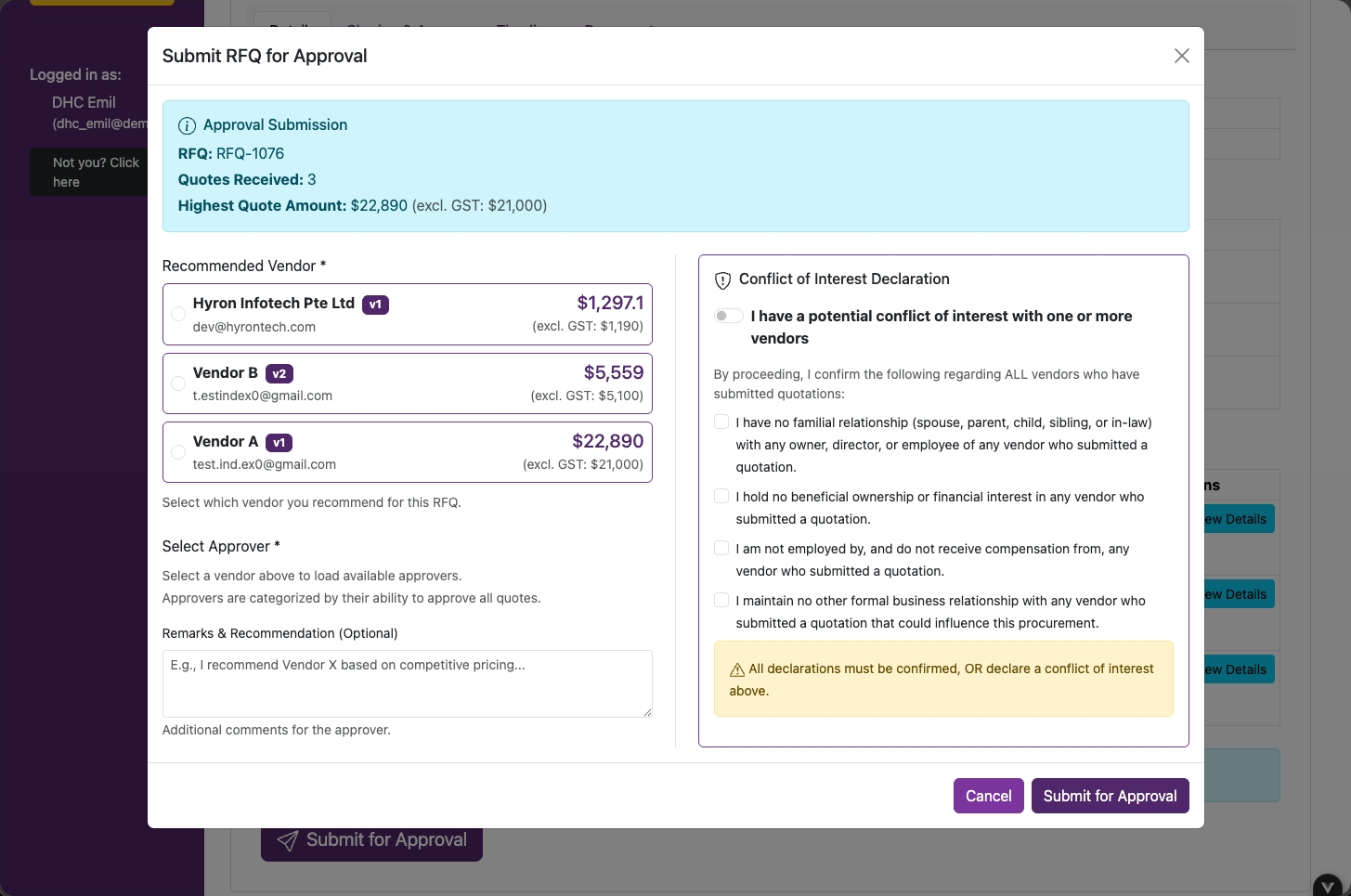
Vendor recommendation and conflict of interest declaration form
RequestorIT SME
28

Waiver of Competition (WOC)

If a WOC is required, fill in all the fields.
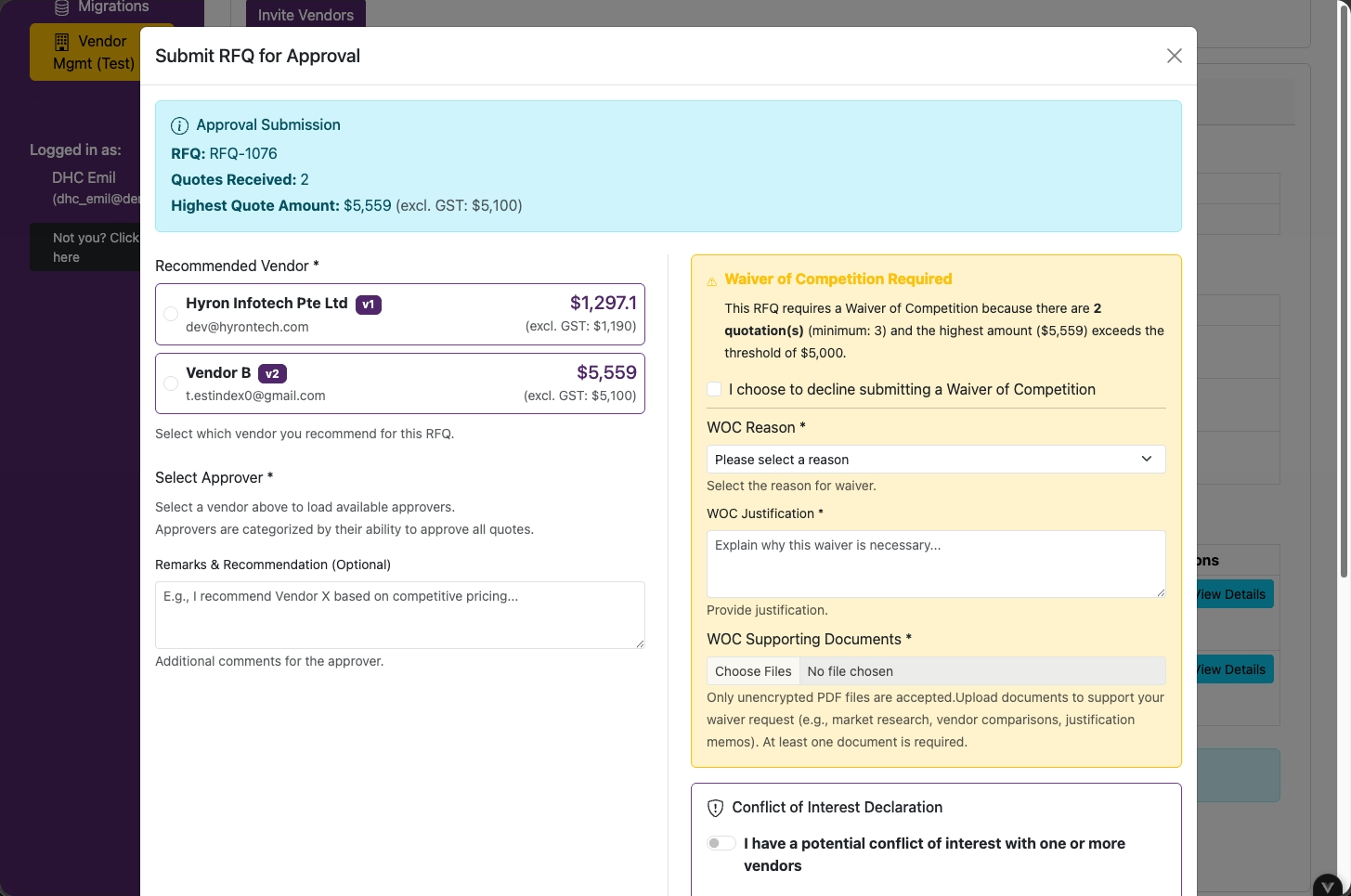
Waiver of Competition form
IT SME
32

Select Approver

For IT purchases, approval routes to the IT Director first, regardless of amount.

Click on Submit for Approval.
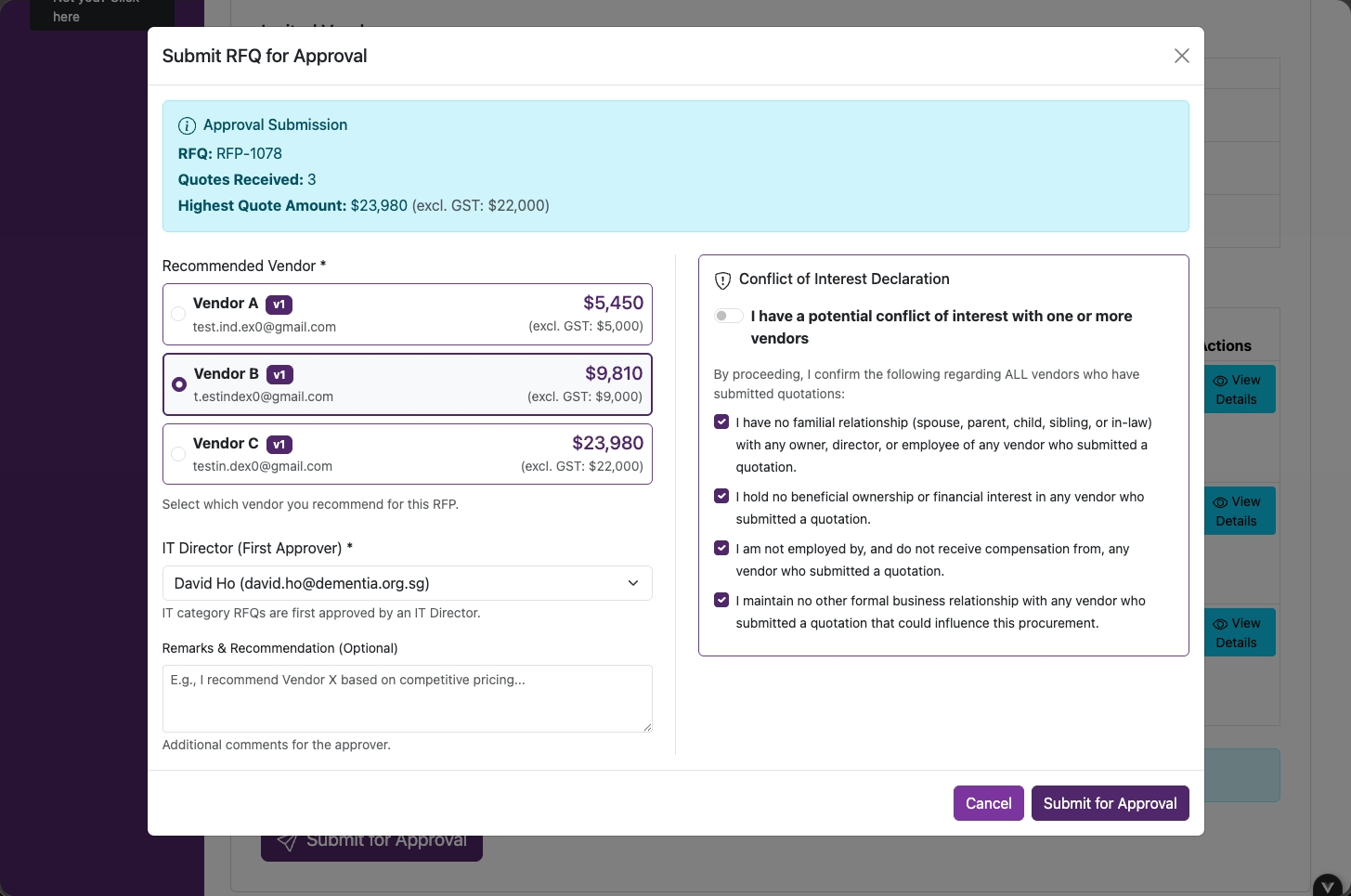
IT purchase routing showing the IT Director as the first approver
RequestorIT SME
33

Select Approver

Based on the selected vendor's quotation amount, select the appropriate approver based on the approval matrix.
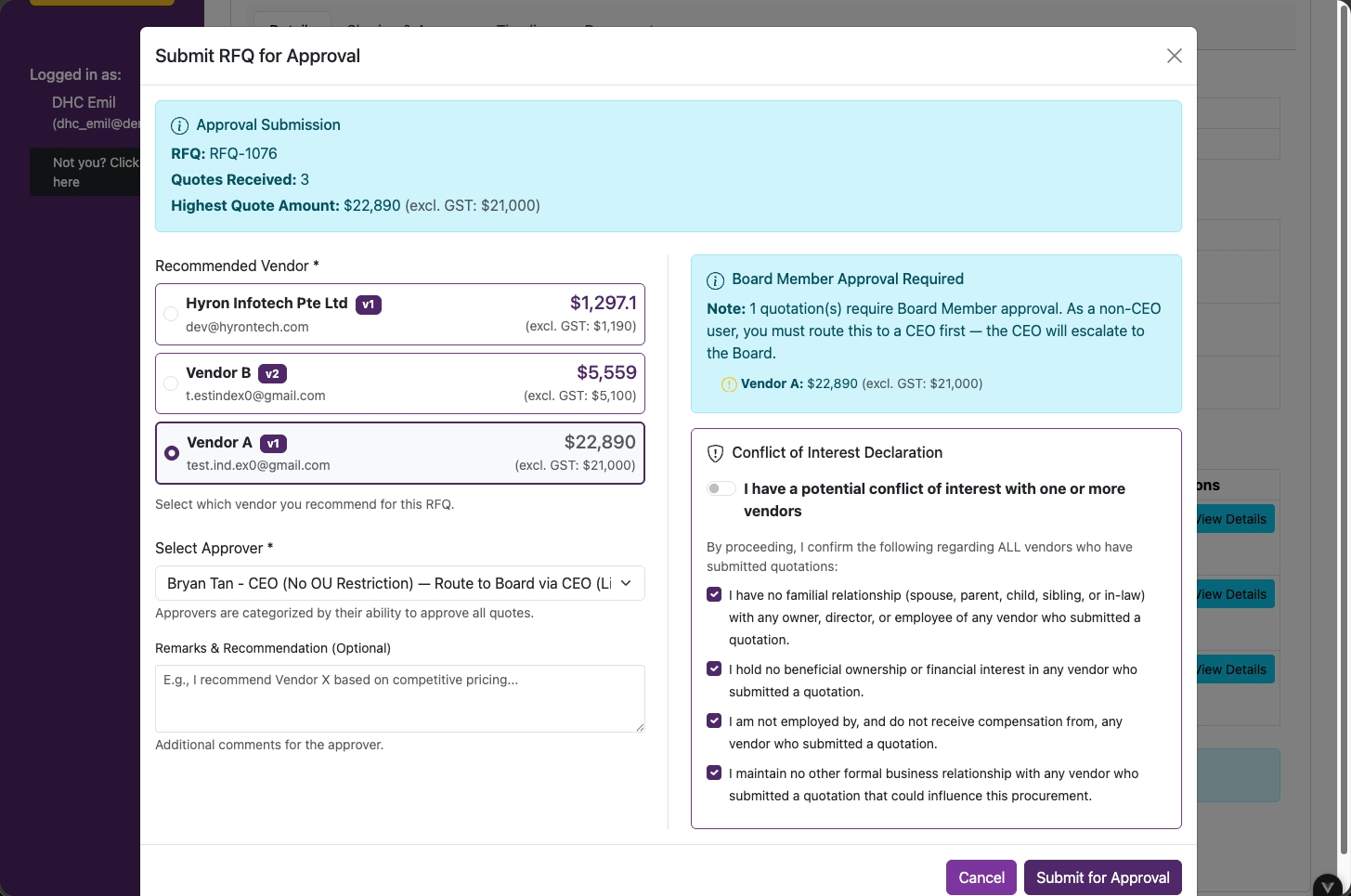
Approver selection based on the quotation amount and approval matrix
Approver
34

Email Notification — Approver

Click on Review & Award Vendor.
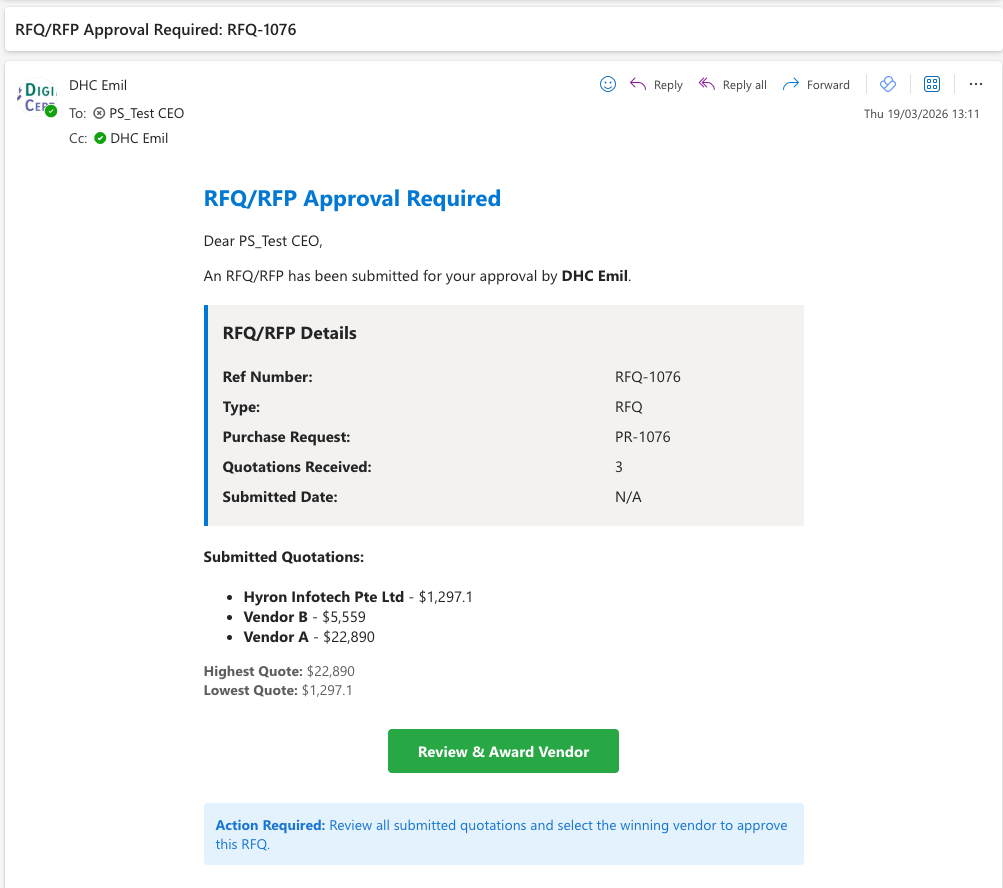
Approver email notification with the Review and Award Vendor action
Approver
35

Quotation Approval / Rejection

Click on Approve and Award Vendor or Decline.

Note: Requestors will need to create a new purchase request or get new quotations if the request is rejected.
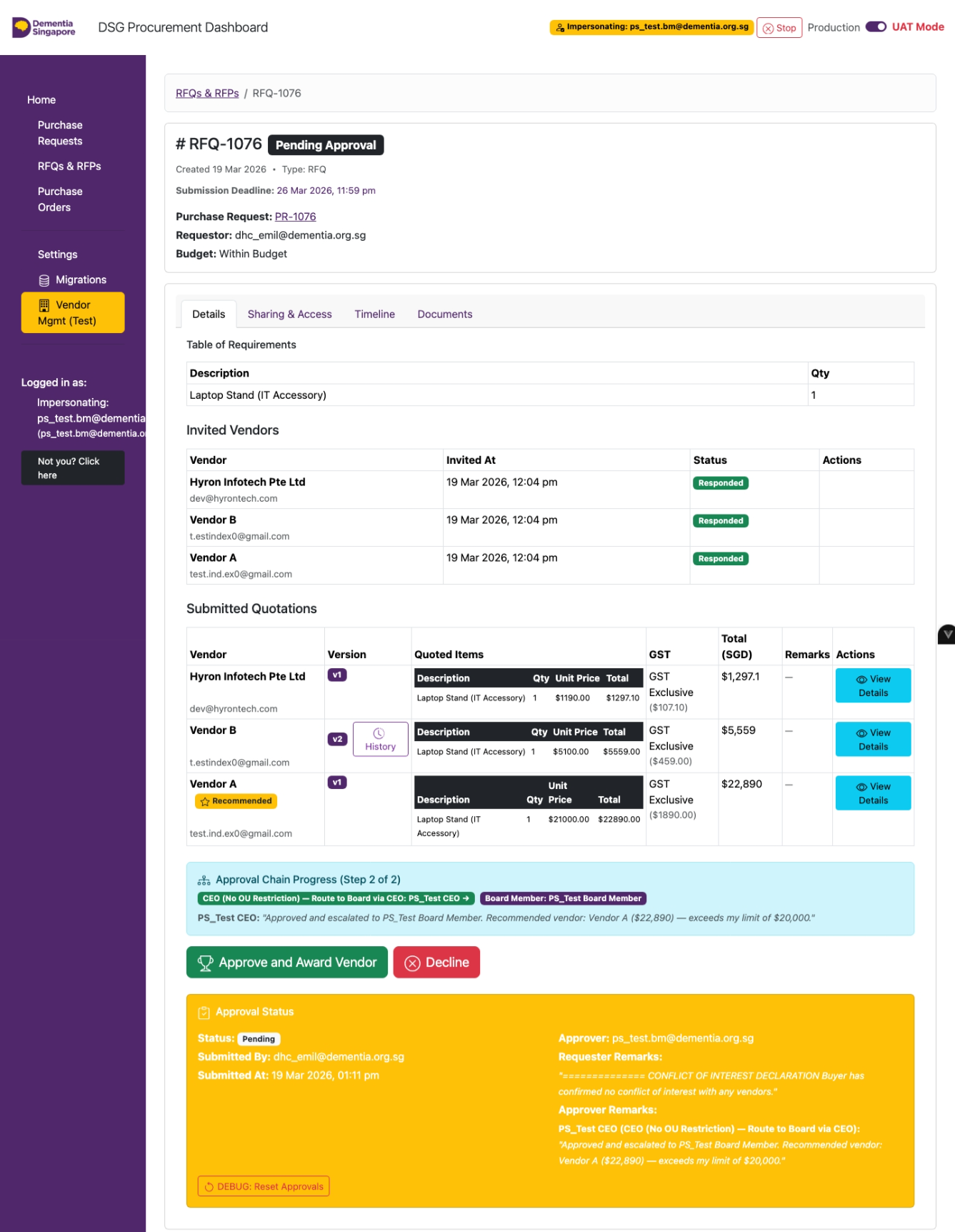
Approver review page with Approve and Award Vendor and Decline actions
Approver
36

Approver Rejection — Remarks

Select a reason and click on Decline and Reset.
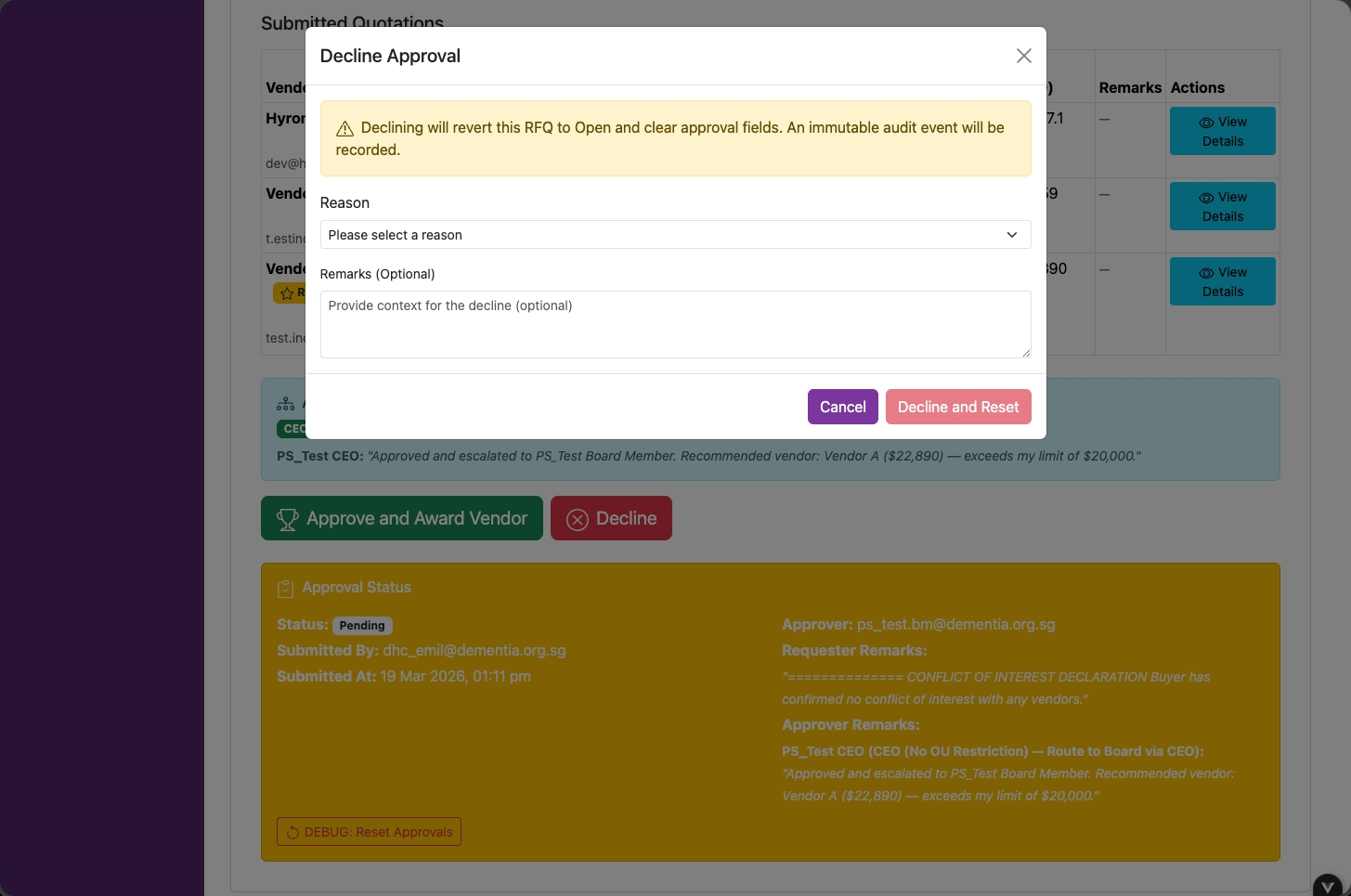
Approver rejection form with a reason selector and Decline and Reset button
Approver
37

Multi-Level Approval

If an approver selects a vendor quotation amount above their approval limit, they will need to select the appropriate approver.
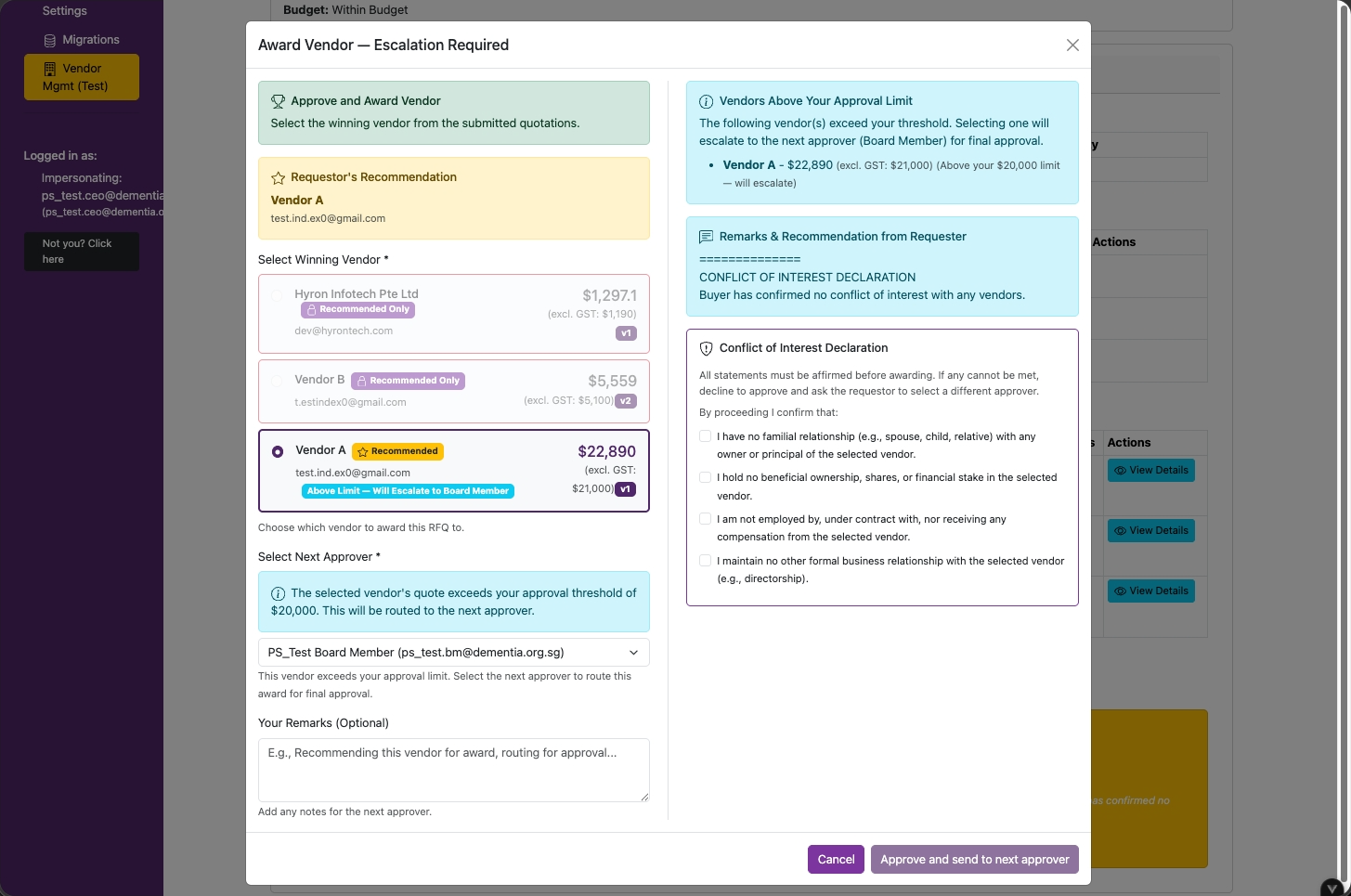
Multi-level approval page for routing to the next approver
Approver
38

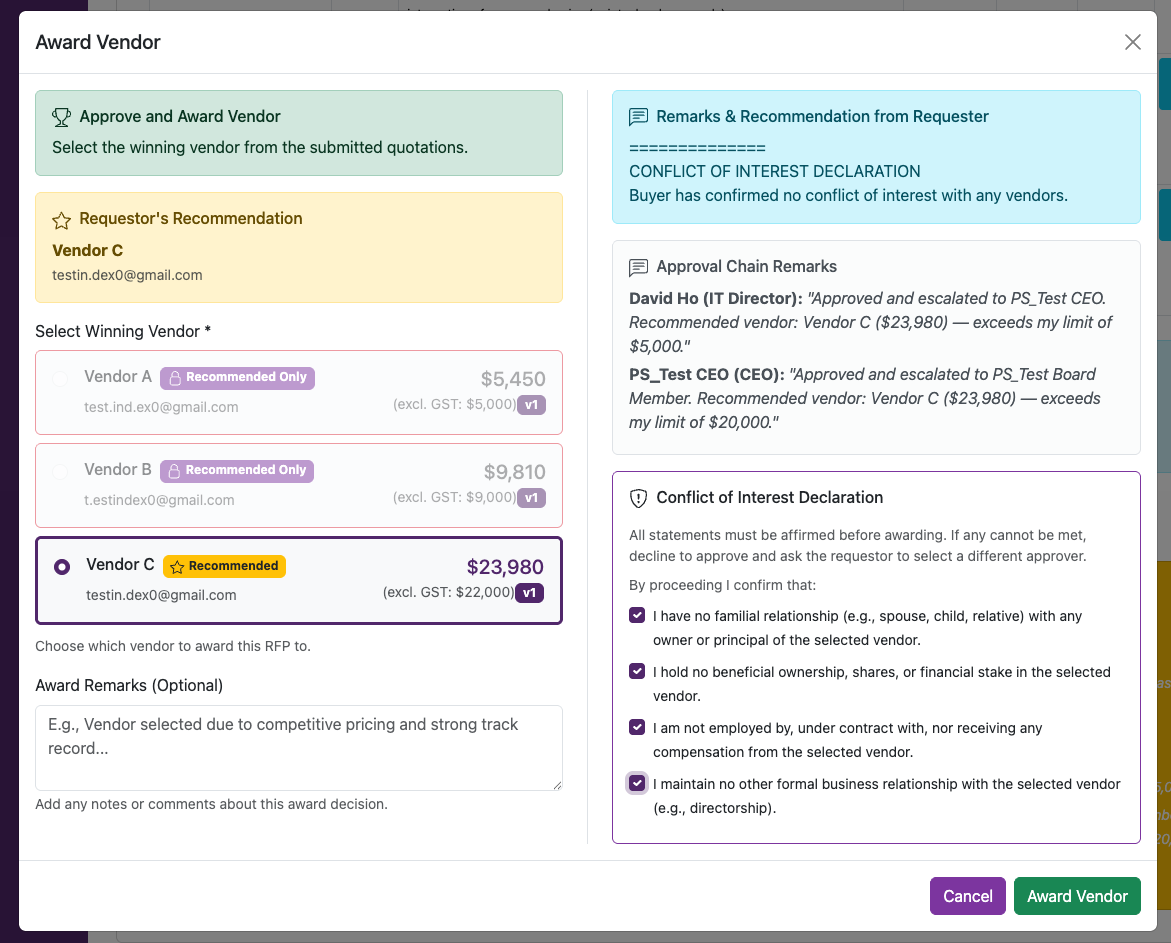
Award Vendor & COI Declaration

  • Select a vendor to award
  • Declare any Conflict of Interest (COI) with the vendors by clicking on checkboxes
  • Click on Award Vendor
Final approval page for awarding the vendor and declaring conflicts of interest
RequestorIT SME
39

Email Notification — Requestor

Click on View RFQ/RFP & Create PO.
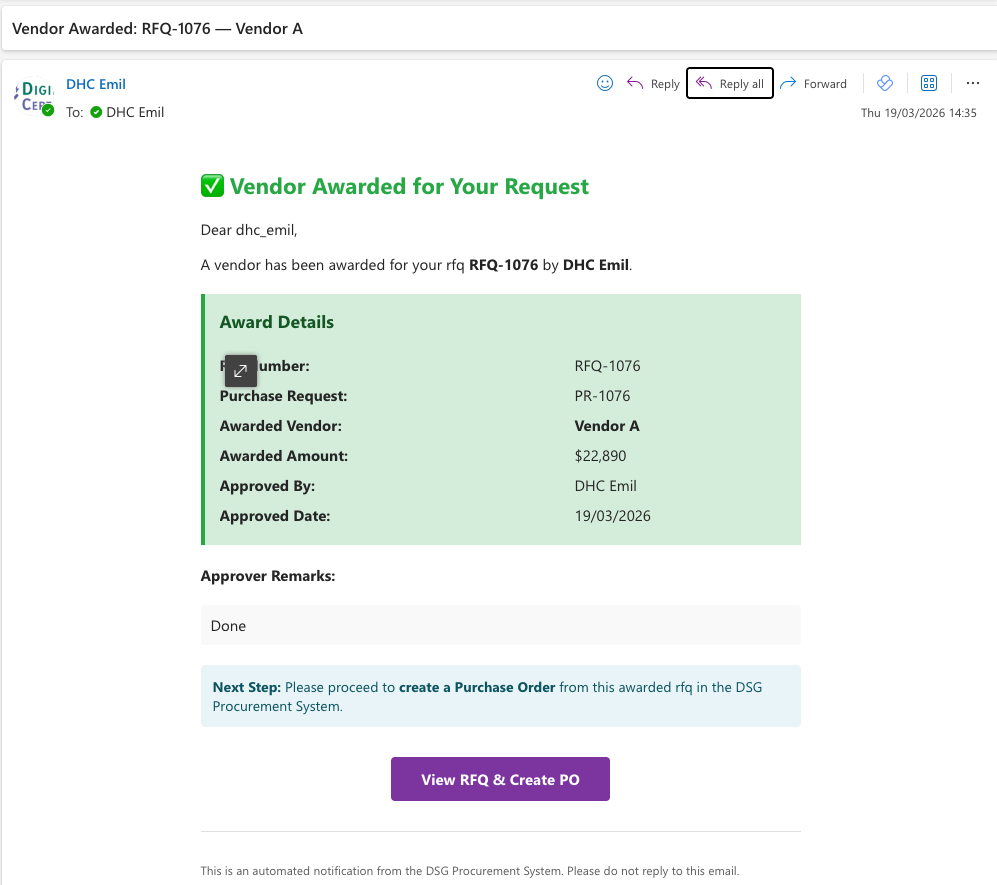
Requestor email notification with the View RFQ/RFP and Create PO action
🎉

You're all set!

Guide complete.
Next: Purchase Order Guide →
DigiHwy Certainty

Tech resources for social and community organisations.

Yes, we know it's very purple.
Our brand was purple before it was an AI stereotype. We're as surprised as you are.

Resources

Agentic Website Guide Agentic Project Management Agentic SEO Email Deliverability Free Tools Open Source Projects

DigiHwy Certainty

dhcertainty.org GitHub Free Advisory partnerships@dhcertainty.com

DigiHwy

digihwy.org

Our sister organisation - digital infrastructure and community connectivity.

Third-party products, services, and organisations mentioned on this site are independent of DigiHwy Certainty. We are not affiliated with, endorsed by, or legally connected to any of them. References are provided for informational purposes only. Use of any third-party tool is at your own discretion and risk — we are not responsible for their availability, pricing, terms, or any outcomes arising from their use.

© 2026 DigiHwy Certainty. All rights reserved.

Contact