A Inviting Vendors
Step 1 of 8
A
RequestorIT SME
15
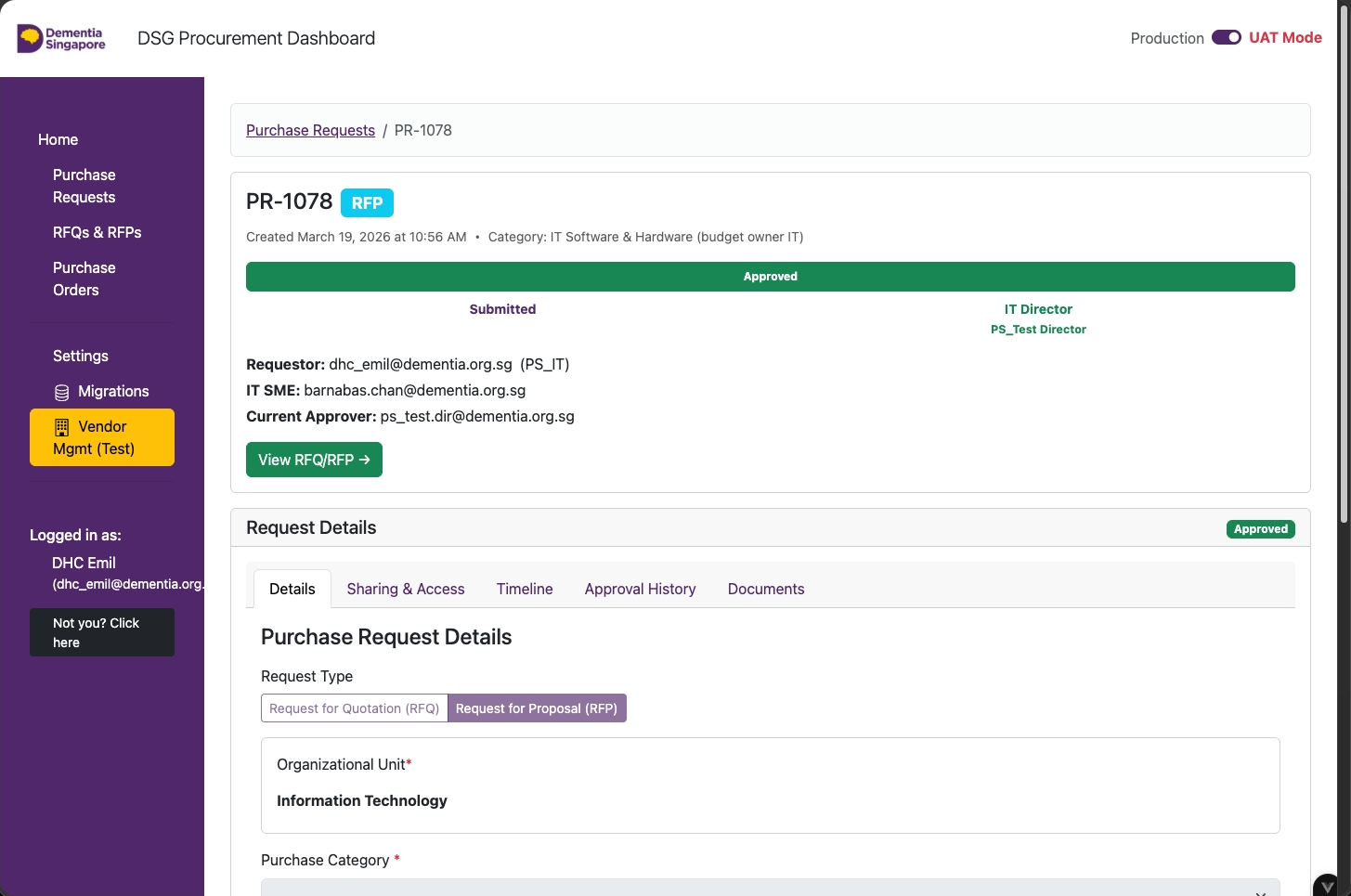
Open the RFQ / RFP
Click View RFQ/RFP.
Requestor
A01
Invite IT SME to manage RFQ/RFP (Step 1)
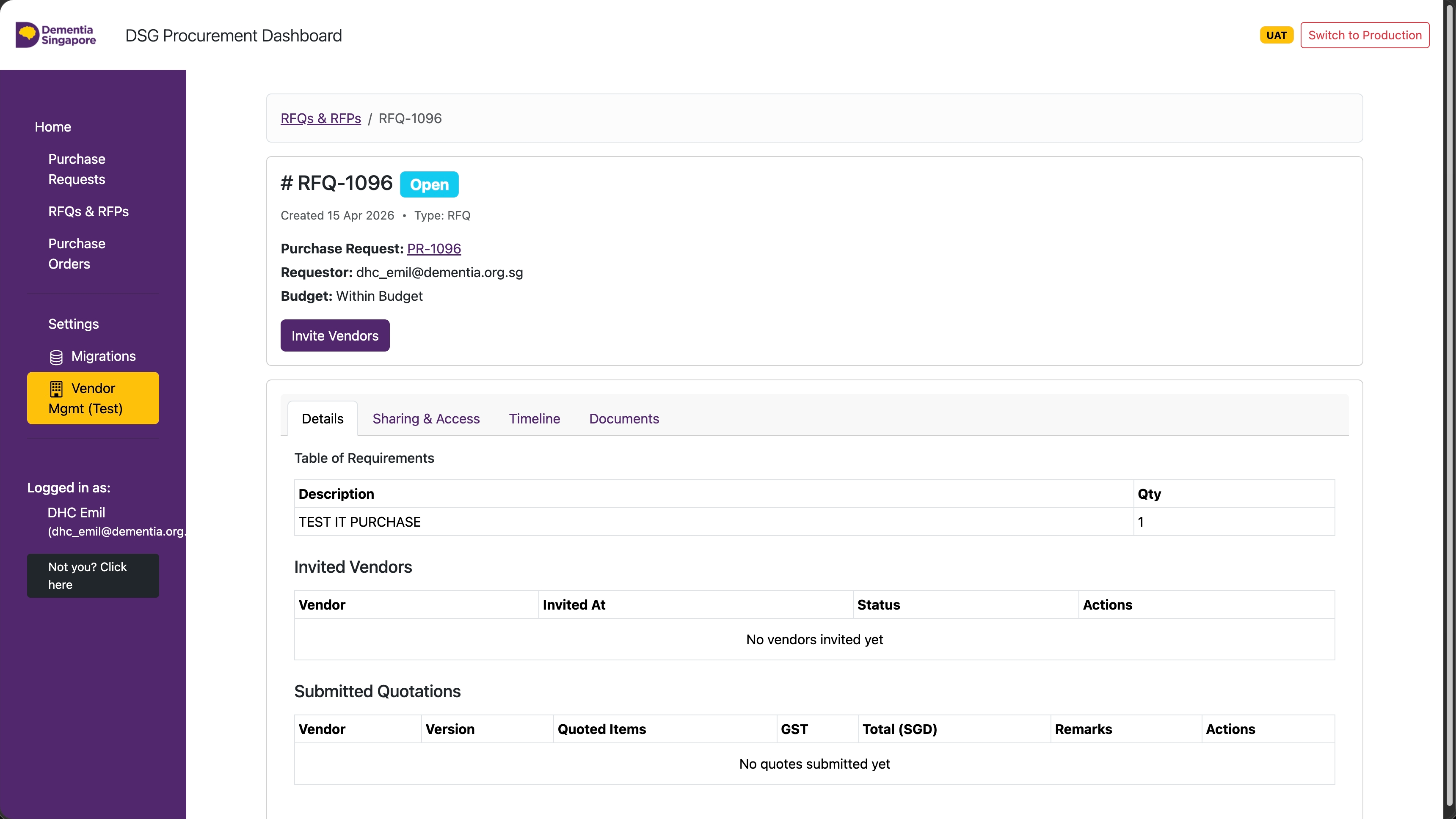
For IT related Purchases (budget owner department), click Sharing & Access.
Requestor
A02
Invite IT SME to manage RFQ/RFP (Step 2)
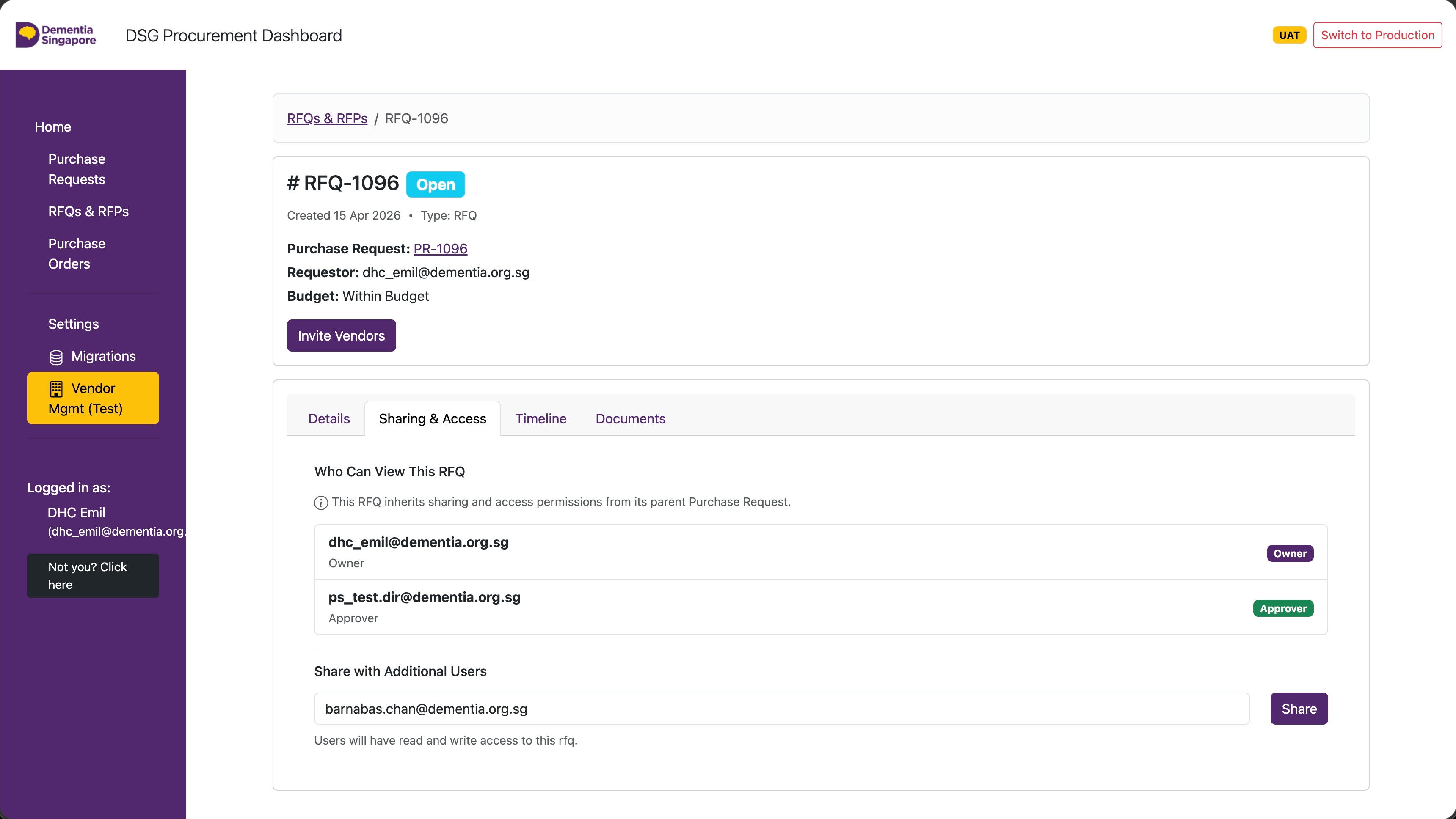
From the Sharing and Access tab:
- Fill in the IT Subject Matter Expert's email to assist with the RFQ/RFP
- Click Share
Repeat this process for the IT Director and other users you need to share the RFQ/RFP with.
RequestorIT SME
16
RFQ / RFP — Invite Vendors
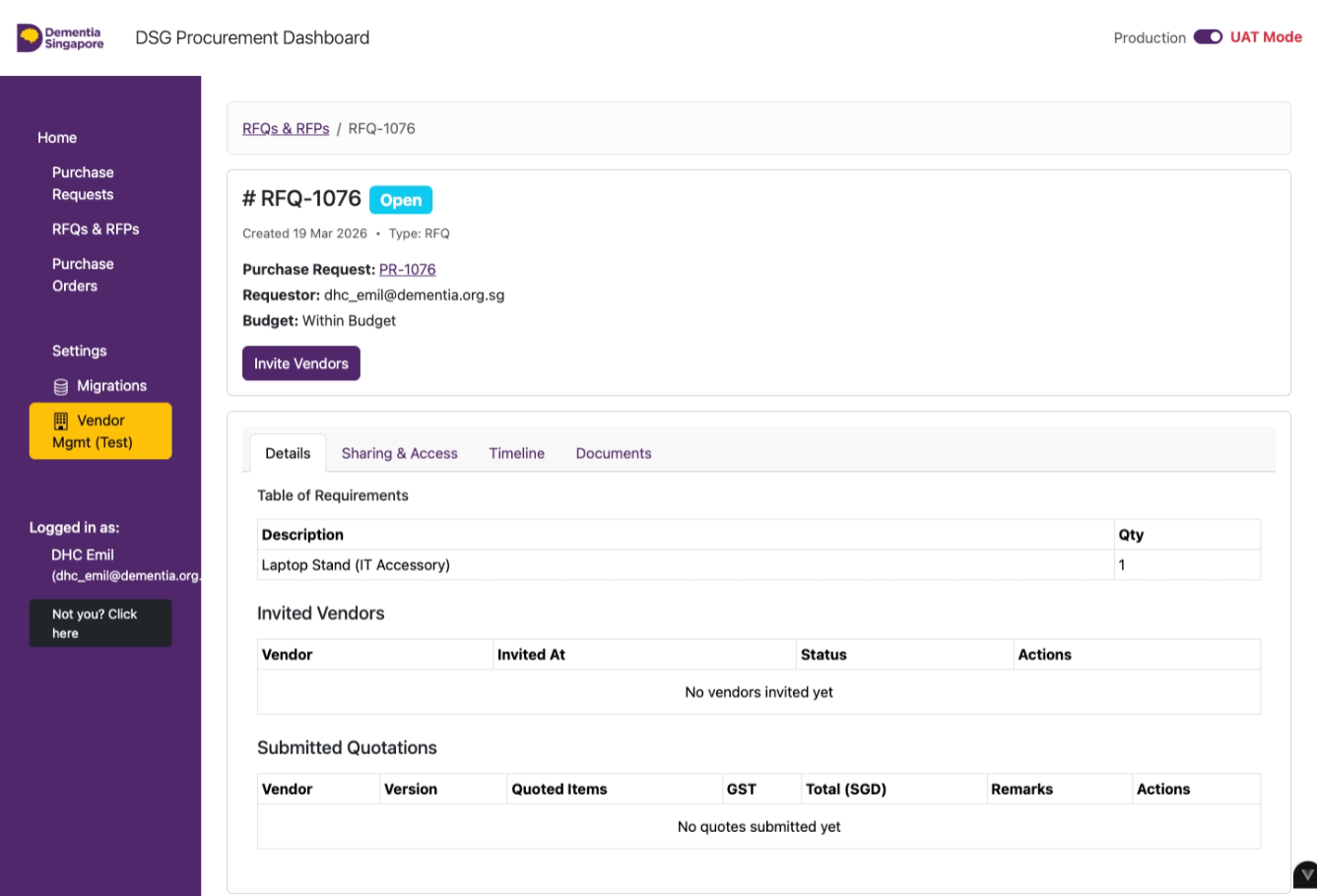
Click on Invite Vendors.
IT SME
17
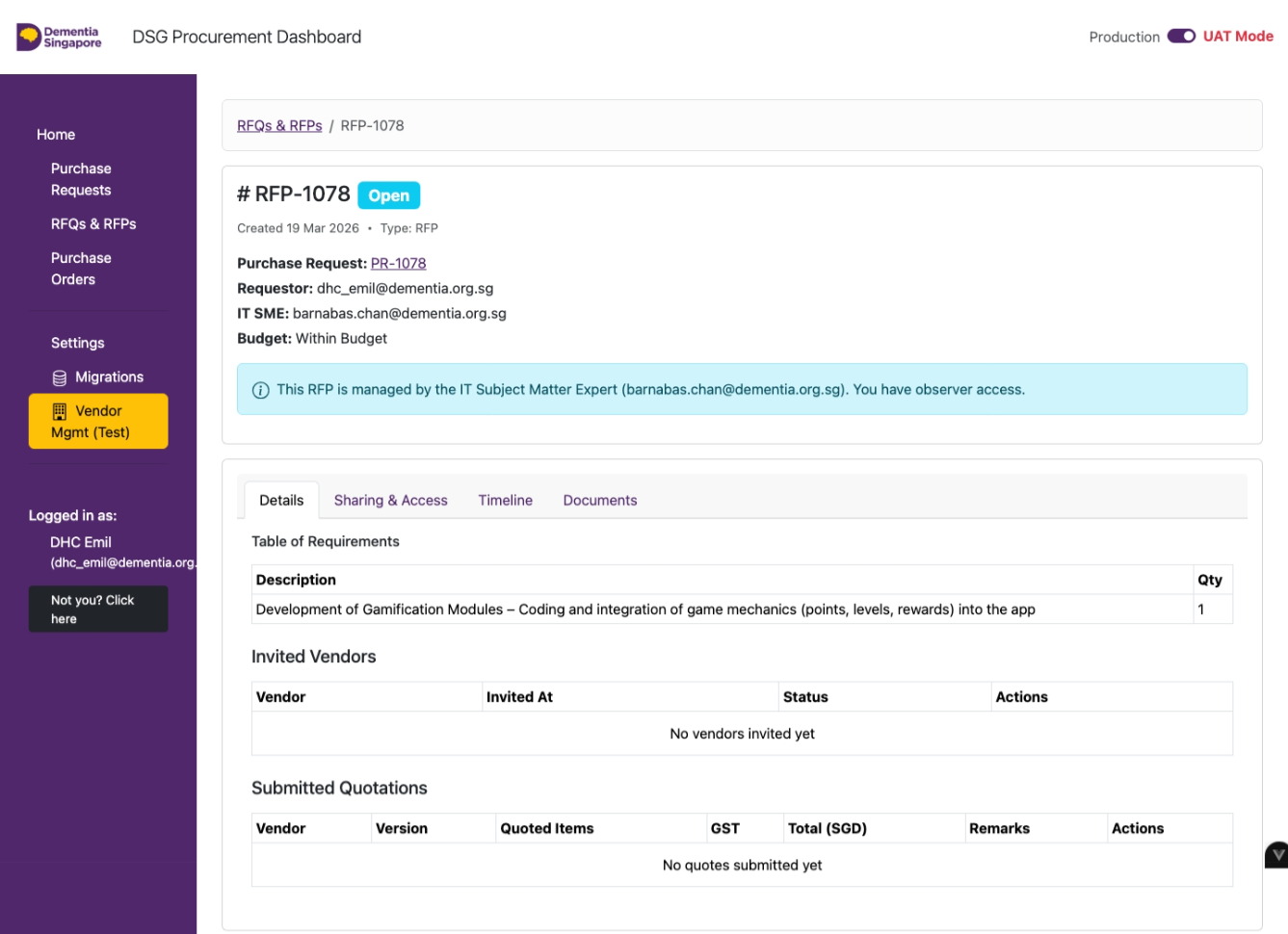
RFQ / RFP — IT SME Only
For IT budget owner purchases, the assigned IT SME will process the RFQ/RFP.
RequestorIT SME
18
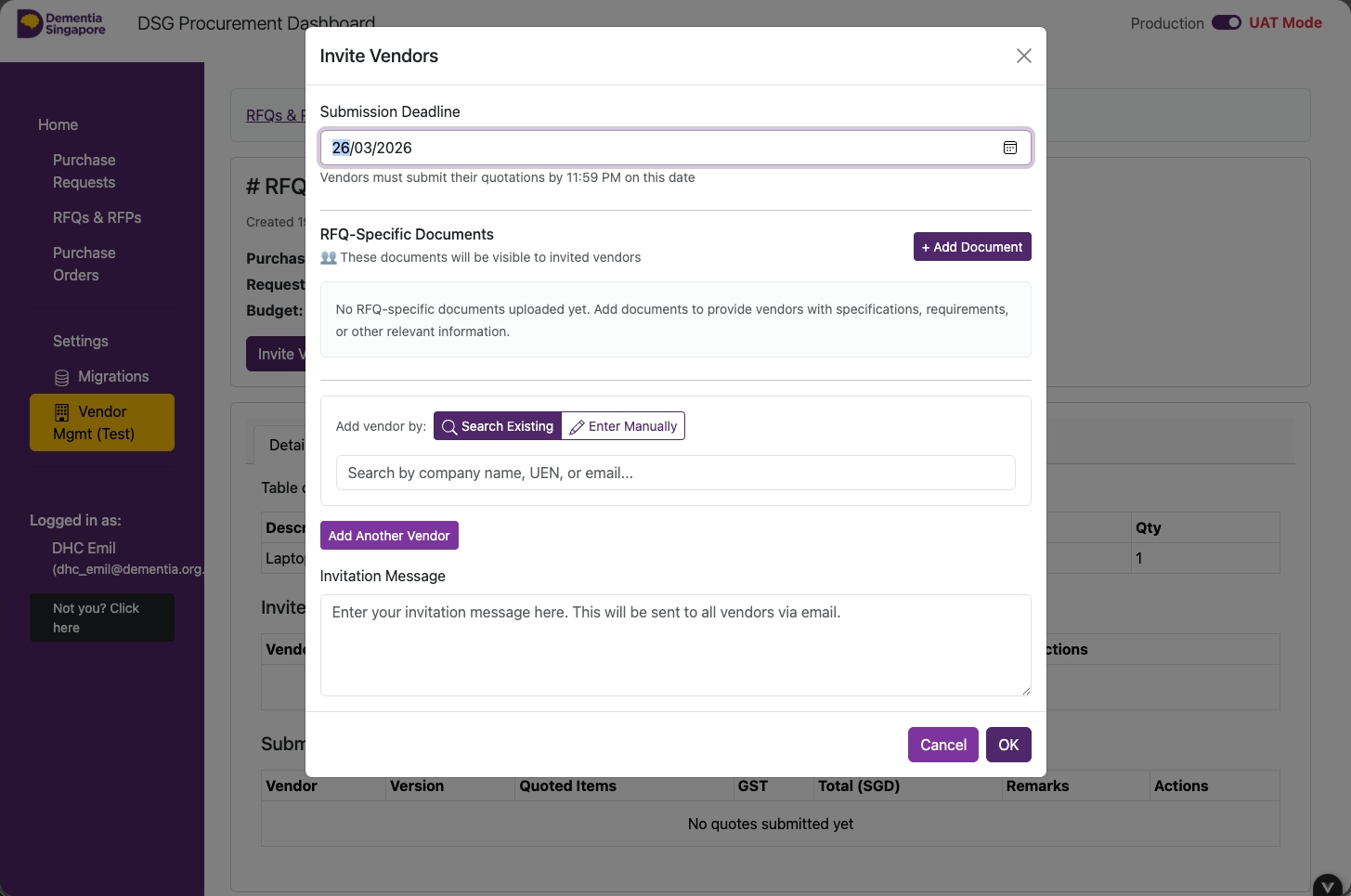
Fill In the Form — Deadline & Supporting Documents
- Submission Deadline
- RFQ-Specific Documents (.pdf only)
RequestorIT SME
19
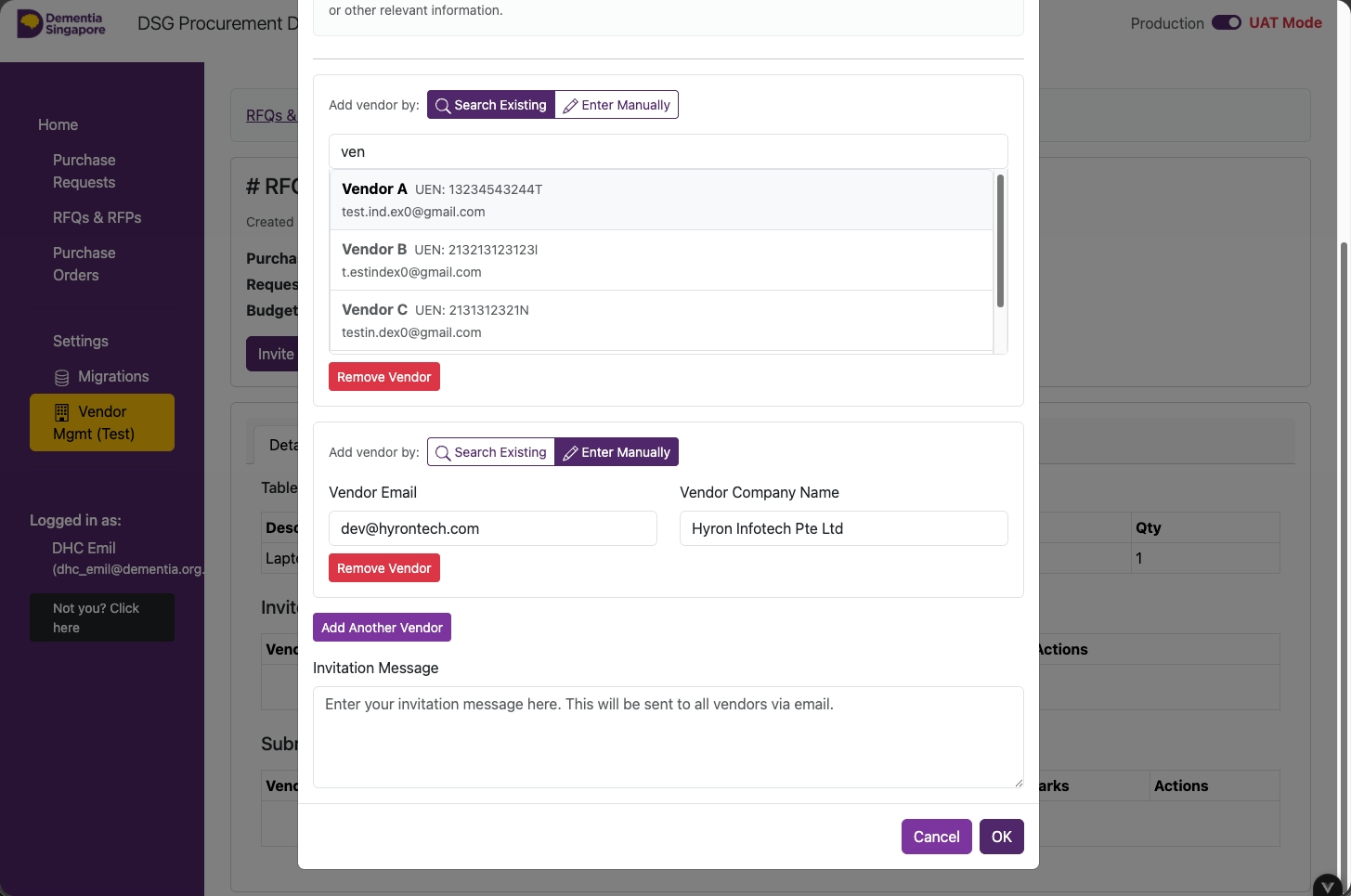
Fill In the Form — Add Vendors
- Click on 'Search Existing'
- Type in the vendor's name
- Click on the 'Vendor' from the results
- If vendor not found, click on 'Enter Manually'
- Type in the vendor's email address
- Type in the vendor's name
- To add another vendor, click on 'Add Another Vendor'
- Type in an invitation message
- Click on 'OK'
RequestorIT SME
20
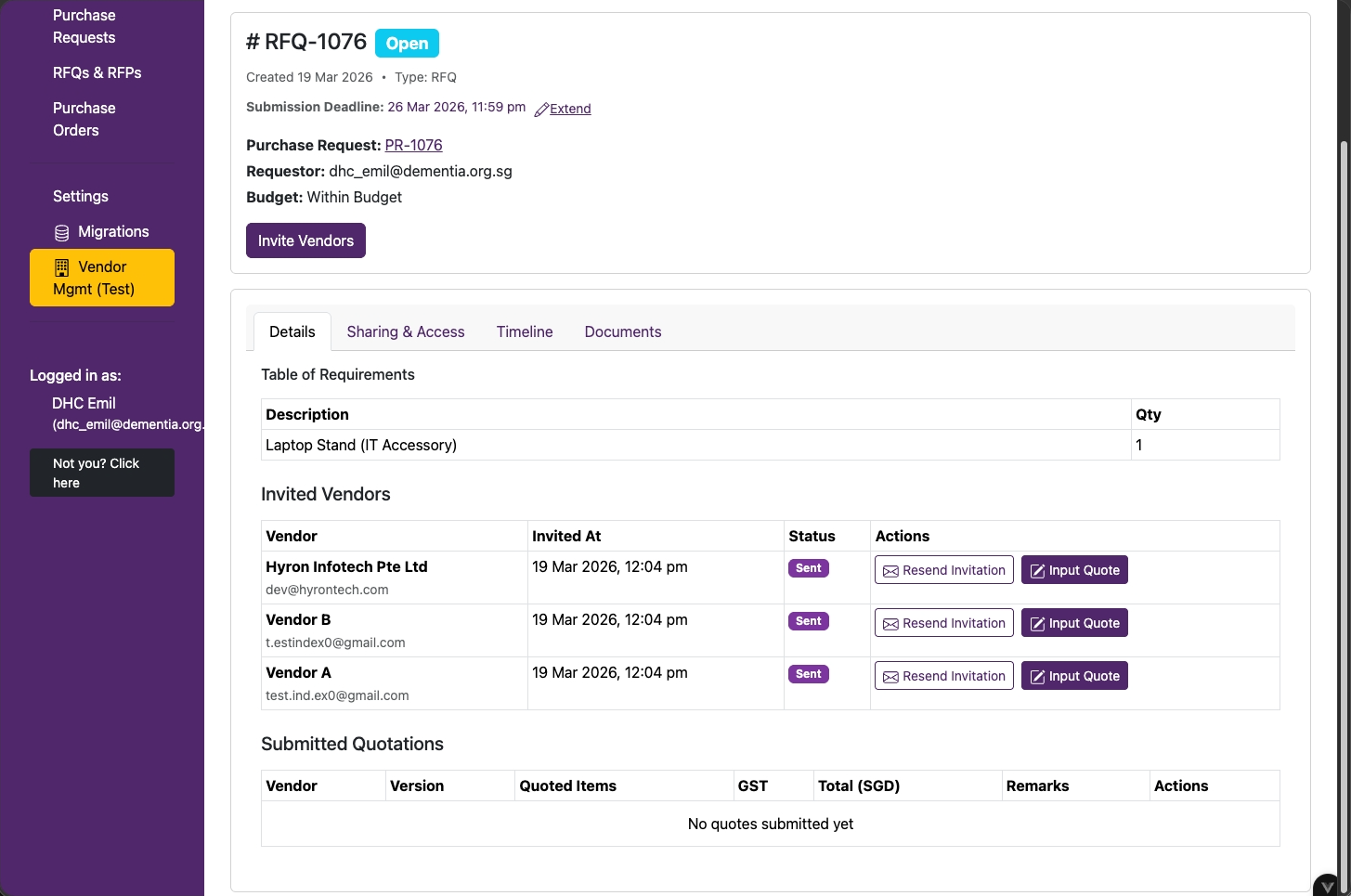
Vendors Invited, Pending Quotation
- Wait for vendors to submit their quotations
- Submit a quotation on behalf of vendor by clicking on Input Quote (optional)
🎉
You're all set!
Choose the next action.