DigiHwy Certainty
Agentic Website Guide Agentic Project Management Agentic SEO Email Deliverability Astro + Cloudflare DSG Procurement
Free Tools Projects Contact Free Advisory
A Inviting Vendors
Step 1 of 8
Exit
A
RequestorIT SME
15

Open the RFQ / RFP

Click View RFQ/RFP.
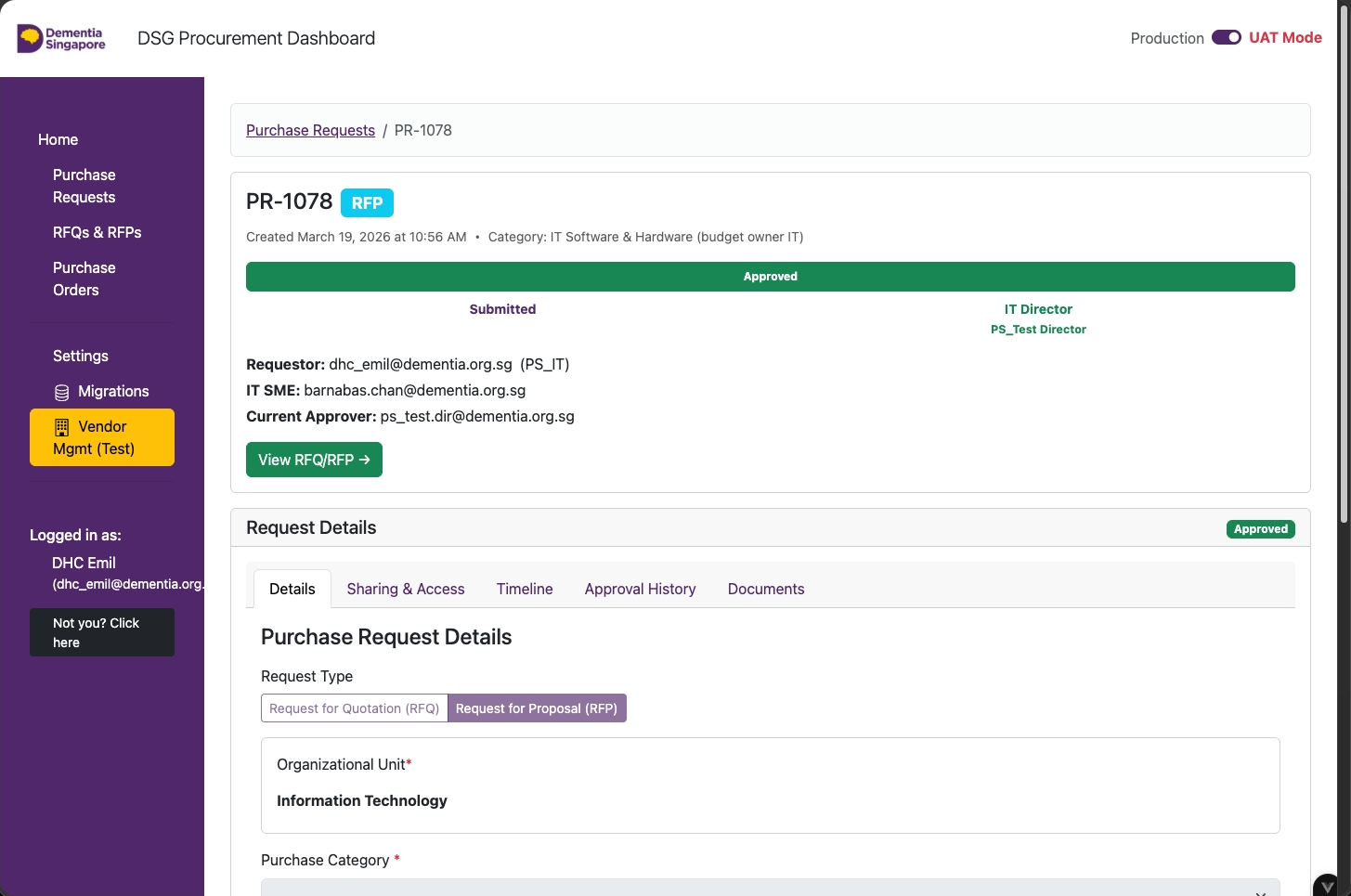
Purchase Request page with the View RFQ/RFP button visible
Requestor
A01

Invite IT SME to manage RFQ/RFP (Step 1)

For IT related Purchases (budget owner department), click Sharing & Access.
Purchase request view with the Sharing and Access control for an IT-related purchase
Requestor
A02

Invite IT SME to manage RFQ/RFP (Step 2)

From the Sharing and Access tab:

  1. Fill in the IT Subject Matter Expert's email to assist with the RFQ/RFP
  2. Click Share

Repeat this process for the IT Director and other users you need to share the RFQ/RFP with.
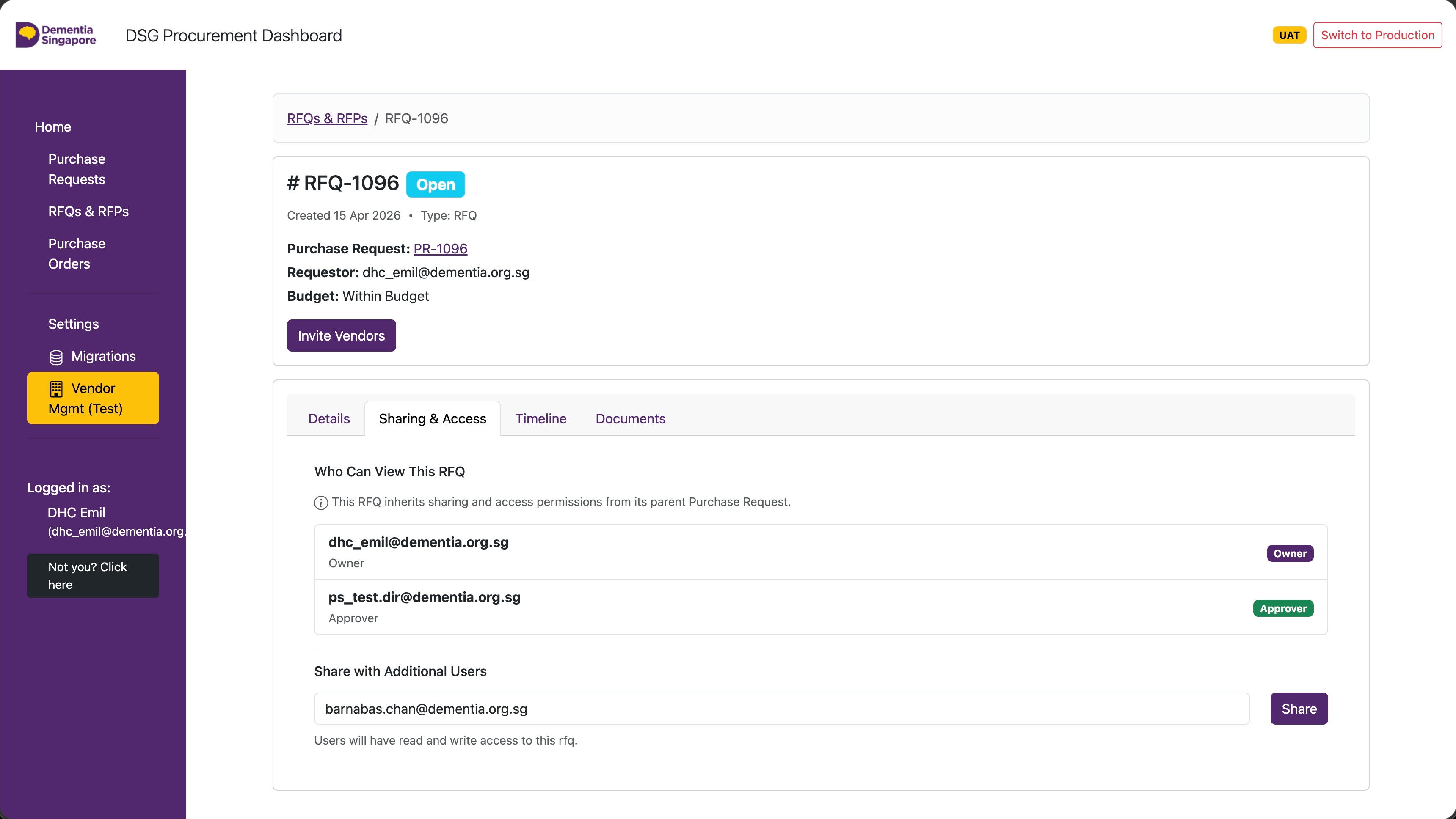
Sharing and Access form for adding the IT SME, IT Director, and other collaborators to the RFQ or RFP
RequestorIT SME
16

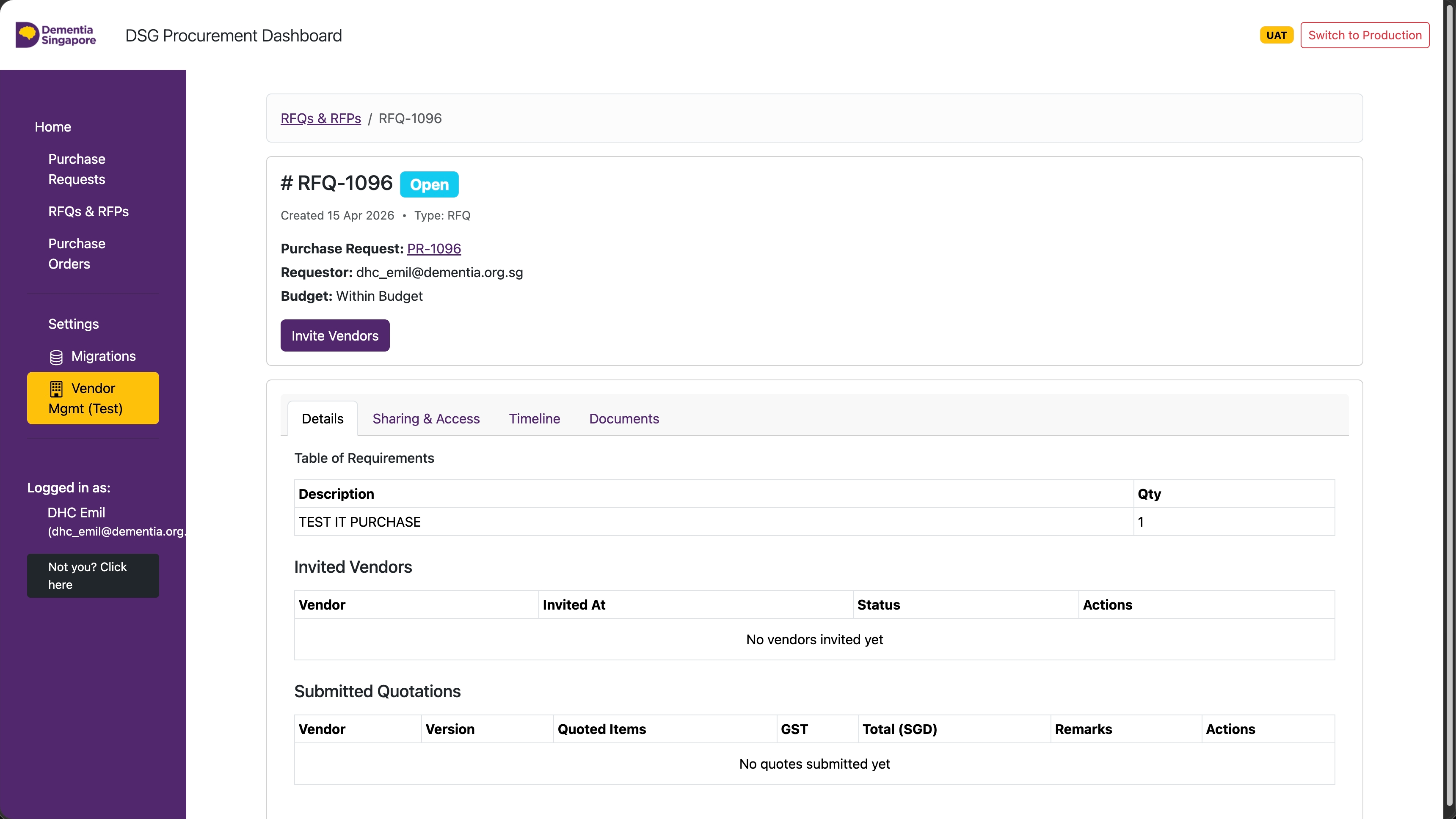
RFQ / RFP — Invite Vendors

Click on Invite Vendors.
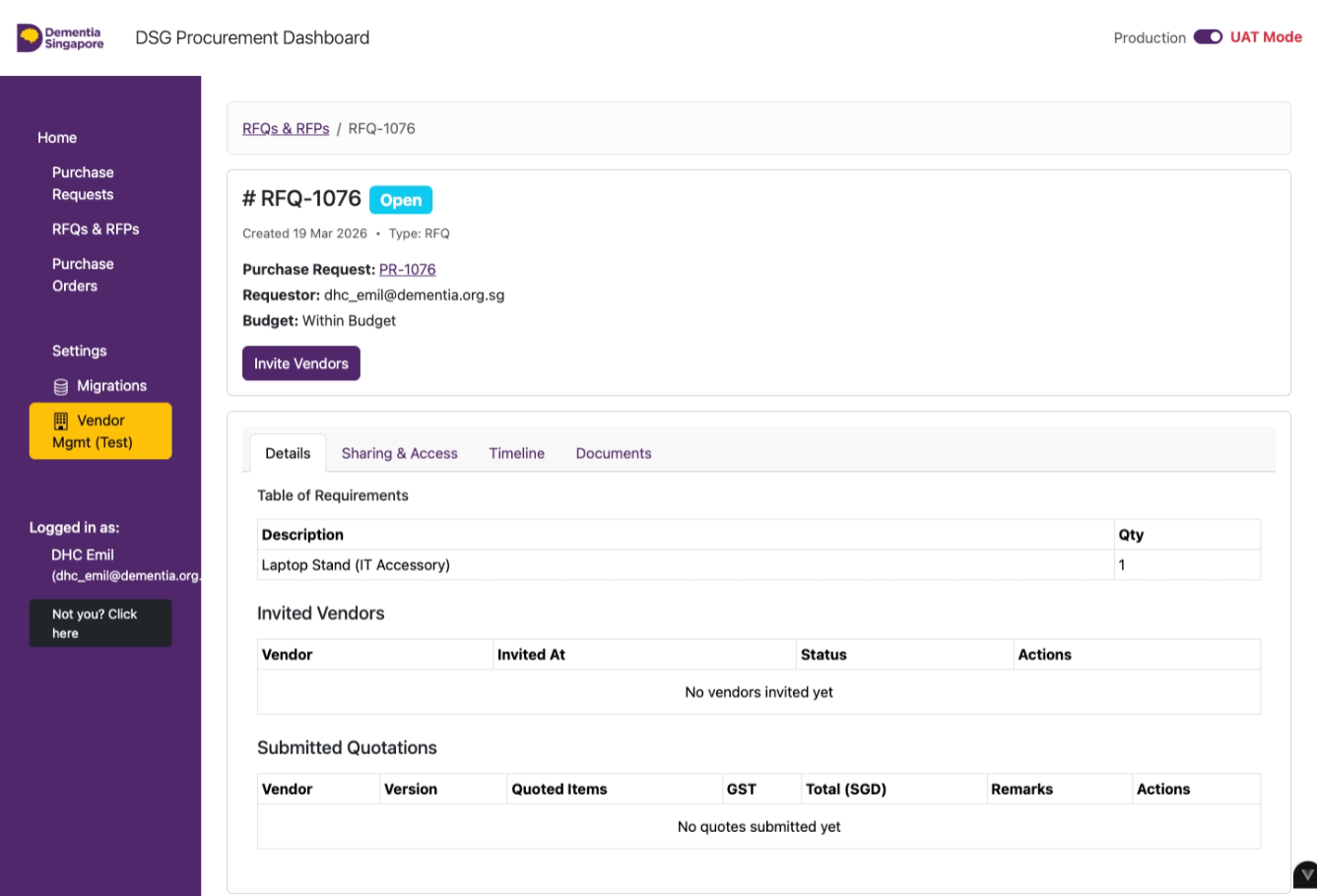
RFQ page with the Invite Vendors button visible
IT SME
17

RFQ / RFP — IT SME Only

For IT budget owner purchases, the assigned IT SME will process the RFQ/RFP.
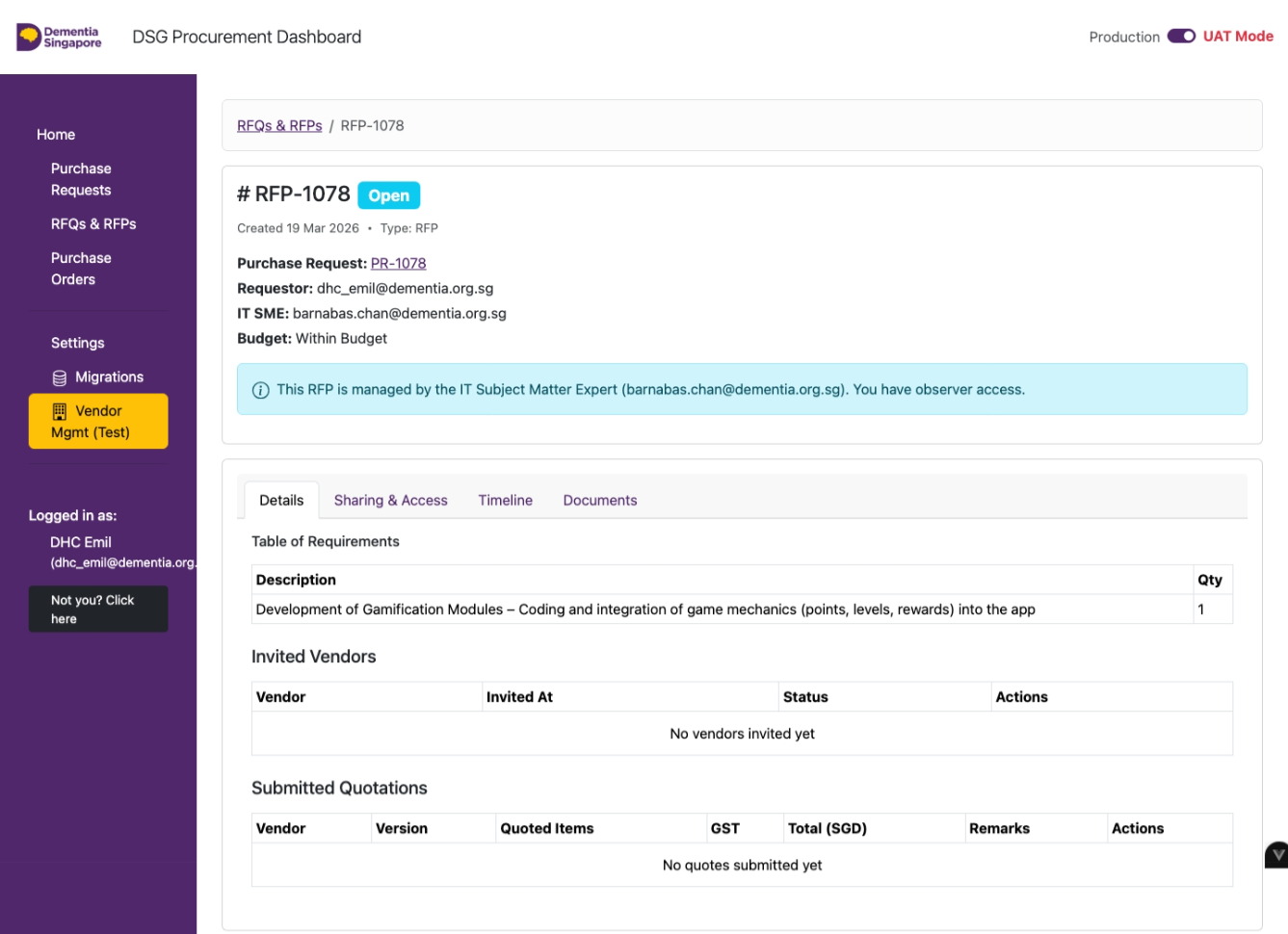
RFQ page as seen by the assigned IT SME
RequestorIT SME
18

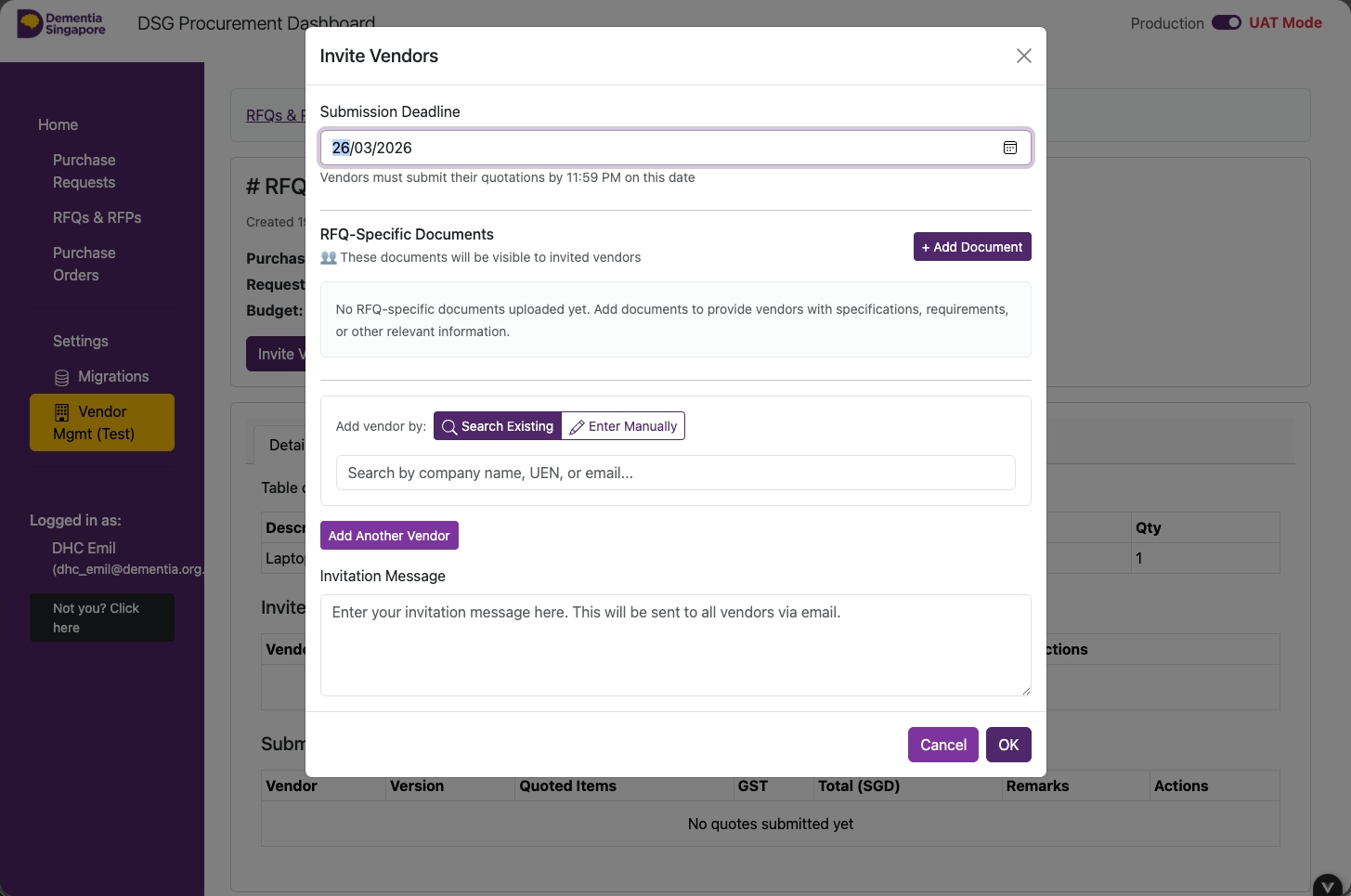
Fill In the Form — Deadline & Supporting Documents

  • Submission Deadline
  • RFQ-Specific Documents (.pdf only)
Invite Vendors form with deadline and supporting document fields
RequestorIT SME
19

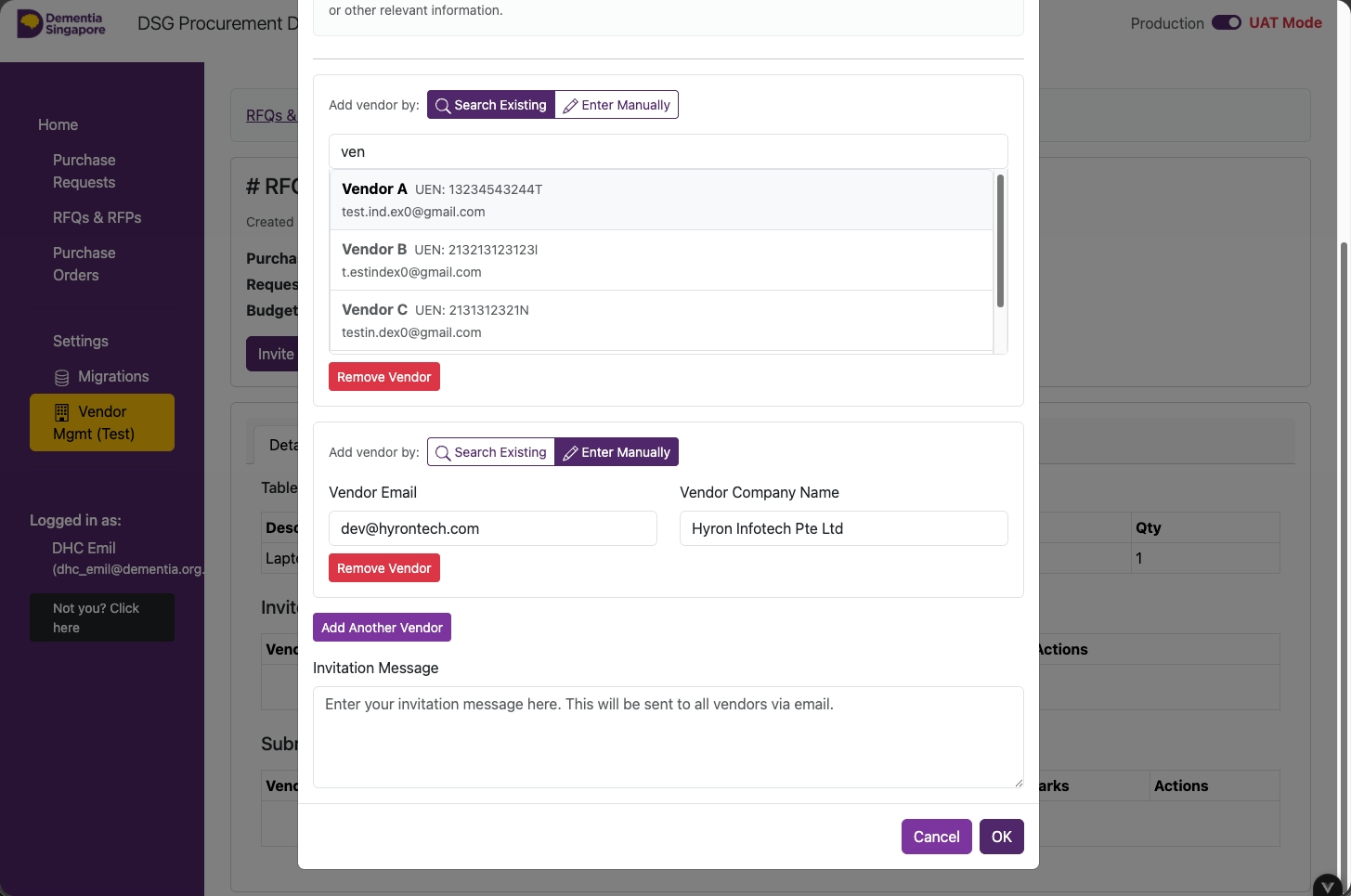
Fill In the Form — Add Vendors

  1. Click on 'Search Existing'
  2. Type in the vendor's name
  3. Click on the 'Vendor' from the results
  4. If vendor not found, click on 'Enter Manually'
  5. Type in the vendor's email address
  6. Type in the vendor's name
  7. To add another vendor, click on 'Add Another Vendor'
  8. Type in an invitation message
  9. Click on 'OK'
Invite Vendors form for searching existing vendors or entering a vendor manually
RequestorIT SME
20

Vendors Invited, Pending Quotation

  • Wait for vendors to submit their quotations
  • Submit a quotation on behalf of vendor by clicking on Input Quote (optional)
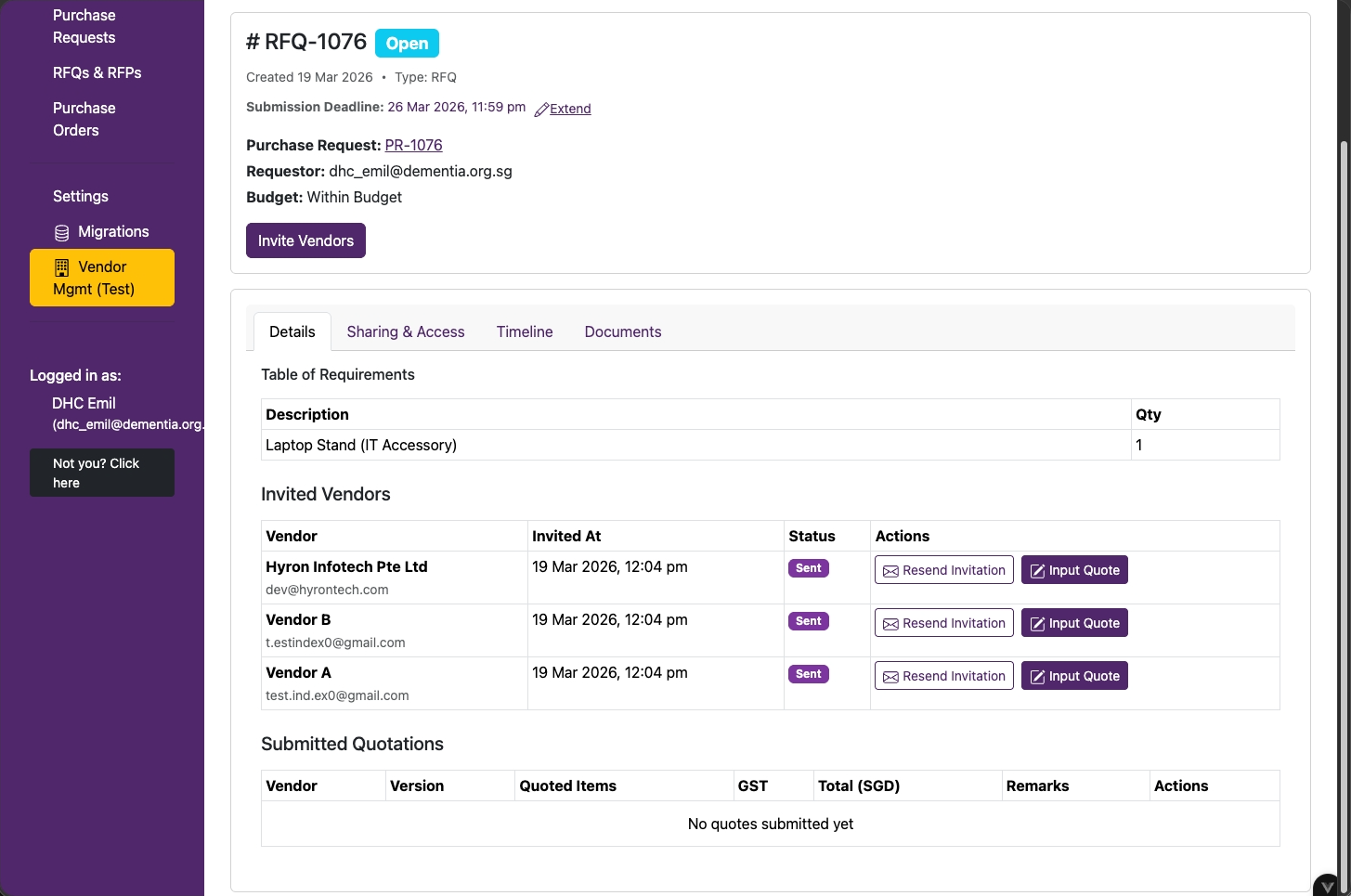
RFQ page showing invited vendors and their quotation status
🎉

You're all set!

Choose the next action.
Enter vendor quotes on behalf of vendors Submit for Approval or Award
DigiHwy Certainty

Tech resources for social and community organisations.

Yes, we know it's very purple.
Our brand was purple before it was an AI stereotype. We're as surprised as you are.

Resources

Agentic Website Guide Agentic Project Management Agentic SEO Email Deliverability Free Tools Open Source Projects

DigiHwy Certainty

dhcertainty.org GitHub Free Advisory partnerships@dhcertainty.com

DigiHwy

digihwy.org

Our sister organisation - digital infrastructure and community connectivity.

Third-party products, services, and organisations mentioned on this site are independent of DigiHwy Certainty. We are not affiliated with, endorsed by, or legally connected to any of them. References are provided for informational purposes only. Use of any third-party tool is at your own discretion and risk — we are not responsible for their availability, pricing, terms, or any outcomes arising from their use.

© 2026 DigiHwy Certainty. All rights reserved.

Contact