A Open the Invitation
Step 1 of 6
PDF
A
B
21
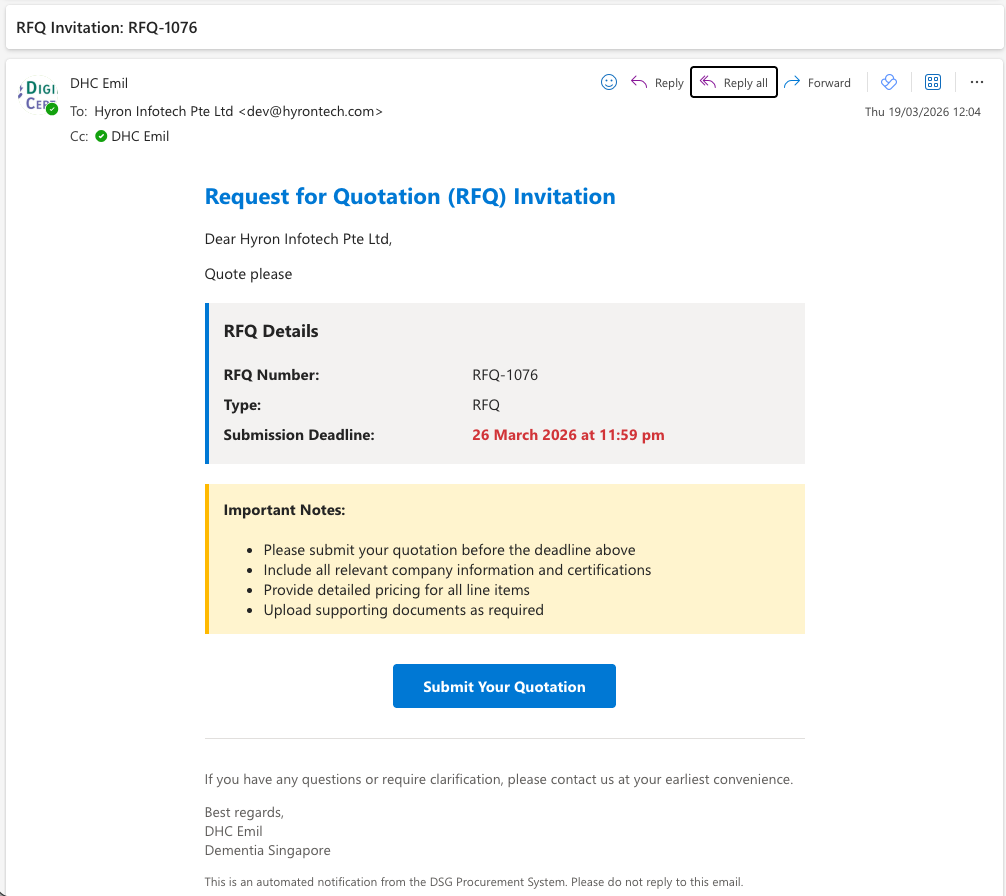
Email Invitation
Open the invitation email and click Submit Your Quotation.
The link is unique to your invitation — no login required. The email is sent from the DSG staff member's own work email, including RFQ details and the submission deadline.
The email comes from the requestor's own work email address, not a generic system mailbox. Check your spam folder if you do not see it.
22
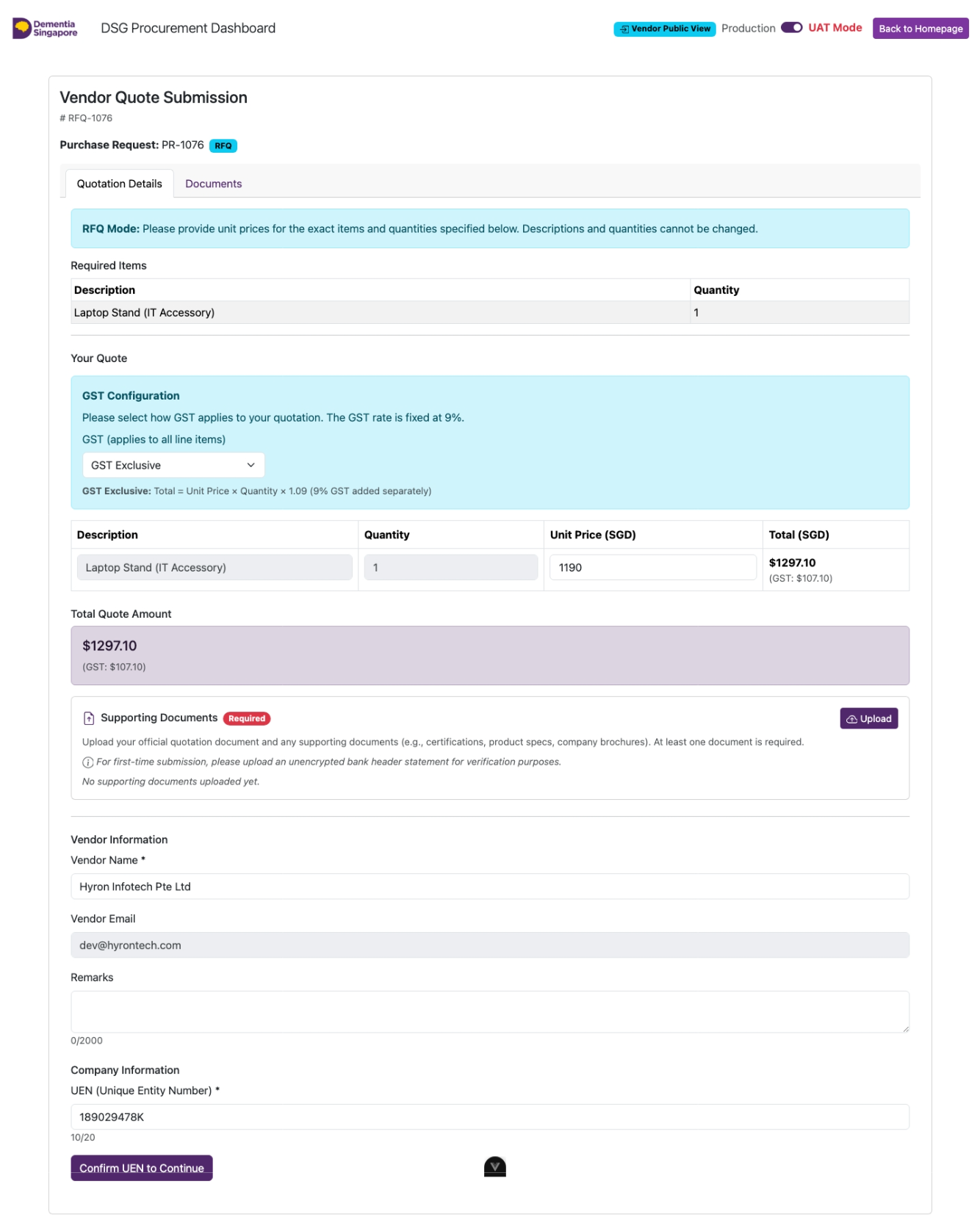
Fill in the Quote Form
- Enter unit prices per line item (RFQ) or fill in descriptions (RFP)
- Upload your official company quote (PDF or Word)
- Enter your UEN — company details auto-fill if you've submitted before
- Click Confirm UEN to Continue
23
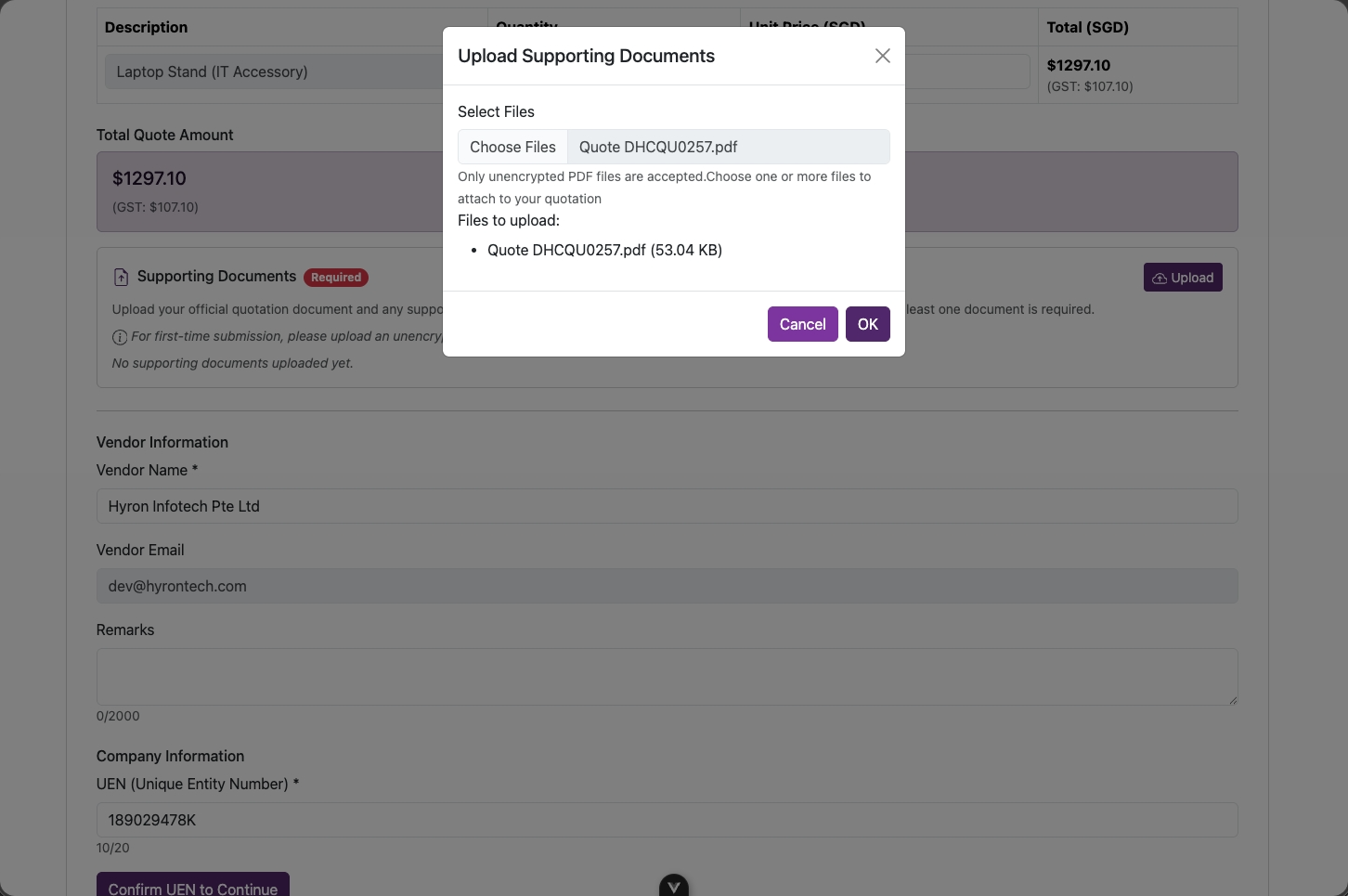
Upload Your Official Quote
- Upload your official company quote (PDF or Word) — mandatory
- First-time DSG submissions also require a bank header statement
A bank header statement is a bank-issued document showing your company name and account details, required for new vendor verification.
New vendors: Both documents are required — your official quote AND a bank header statement. Submissions without the bank statement cannot be processed.
24
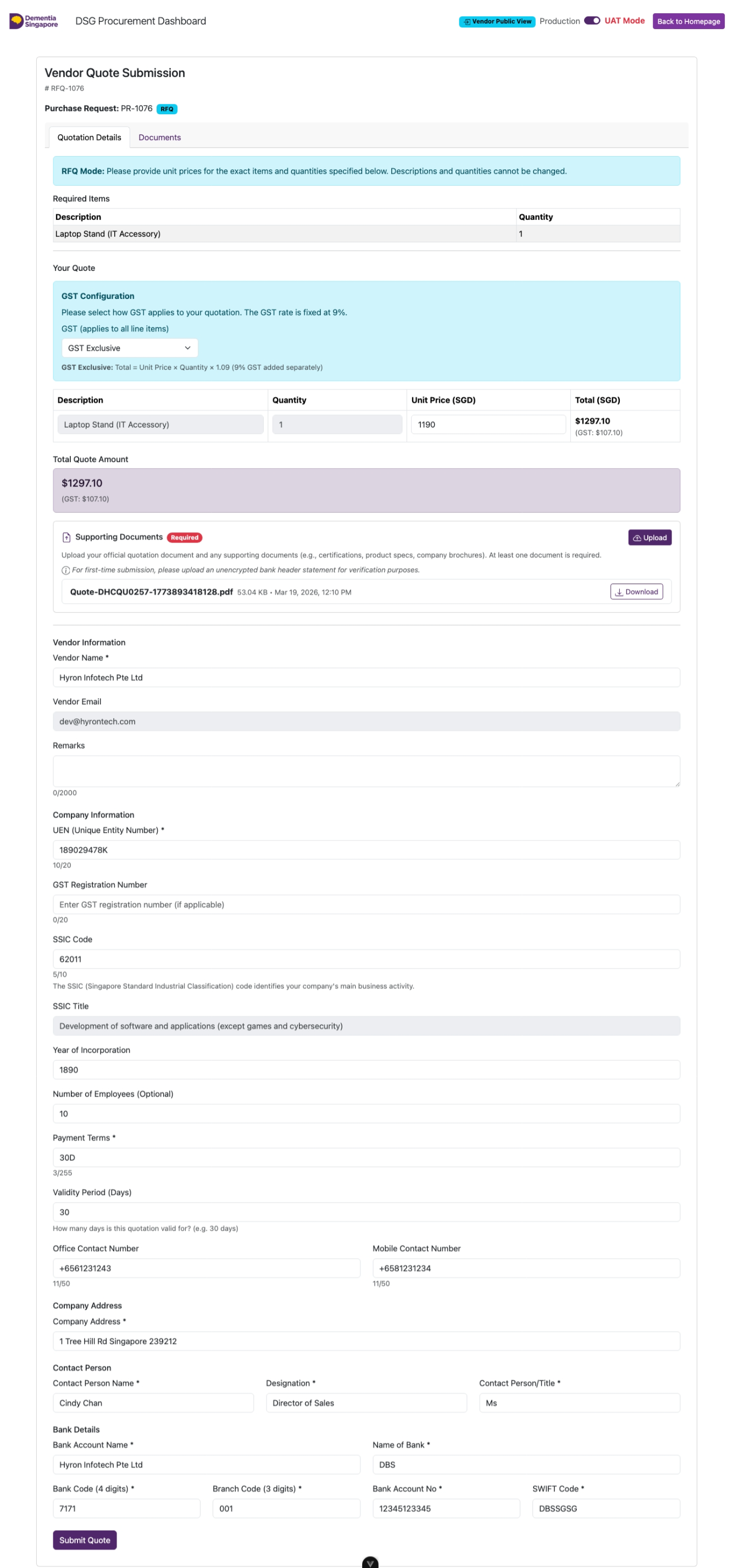
Complete the Submission Form
Fill in all mandatory sections:
- Line item prices and vendor remarks
- Company info — GST number, SSIC code, payment terms, validity period, contact numbers
- Company address and contact person
- Bank details — account name, bank code, branch, account number, SWIFT
25
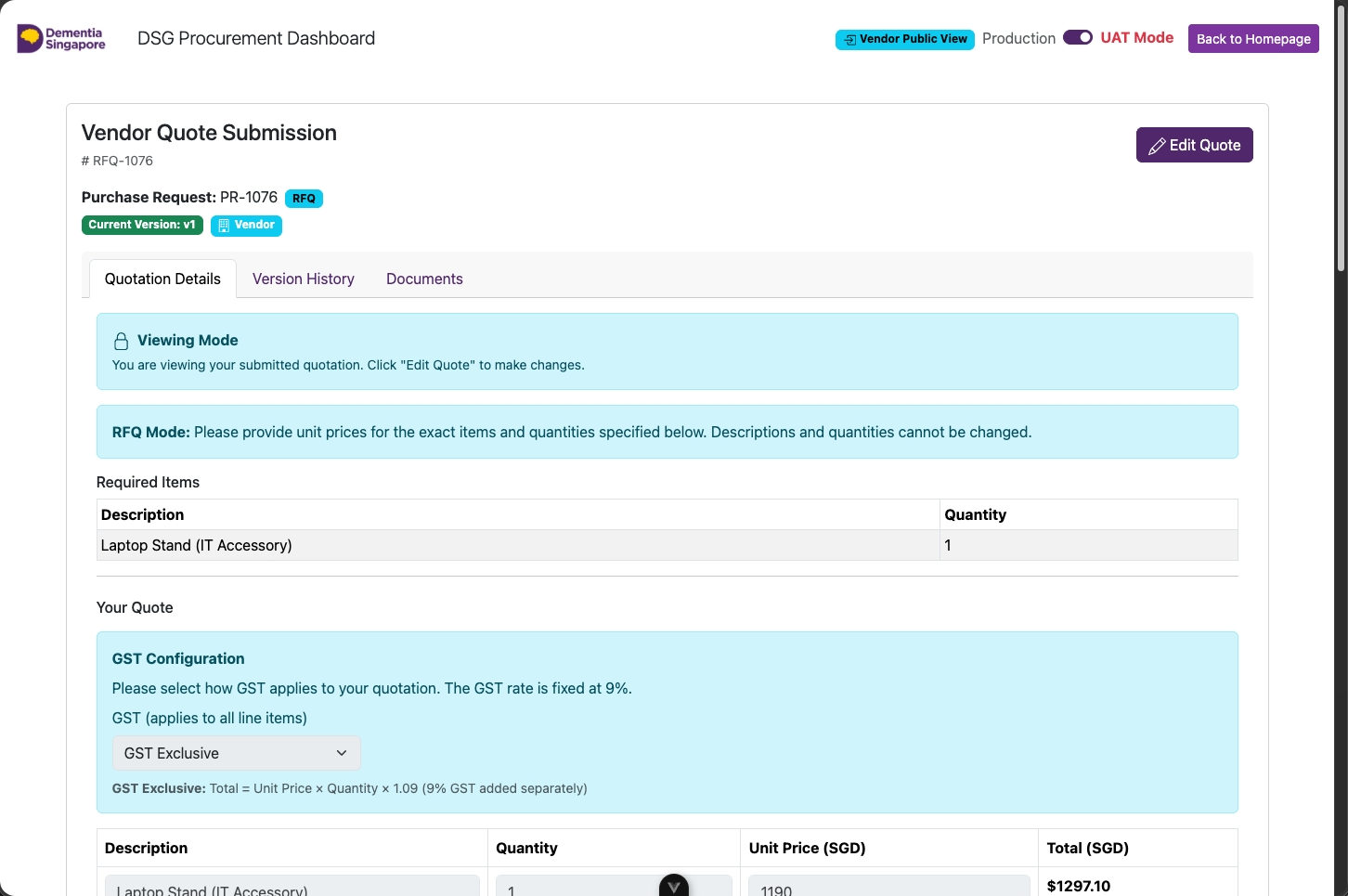
Submitted — You Can Still Edit
Quote submitted. Click Edit Quote to revise before the deadline.
Each revision is saved as a new version — the full history is preserved.
You can revise your quote as many times as needed before the deadline. After the deadline, the submission is locked for evaluation.
26
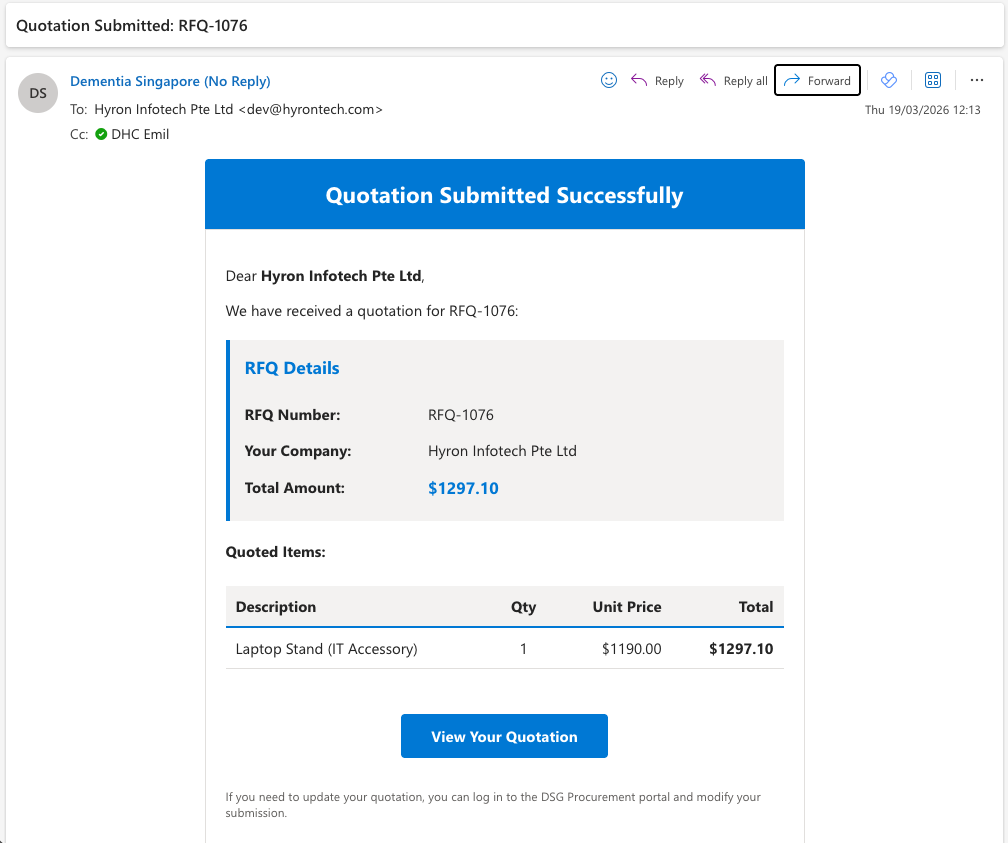
Confirmation Email Sent
A confirmation email is sent to both you and the DSG requestor.
Keep this email — use the original link to return to the portal and check or revise your submission before the deadline.